65 66
Mini100/Mini2
Mini100/Mini2
2. In the screen below, select “Local Printer” and click on the Next button.
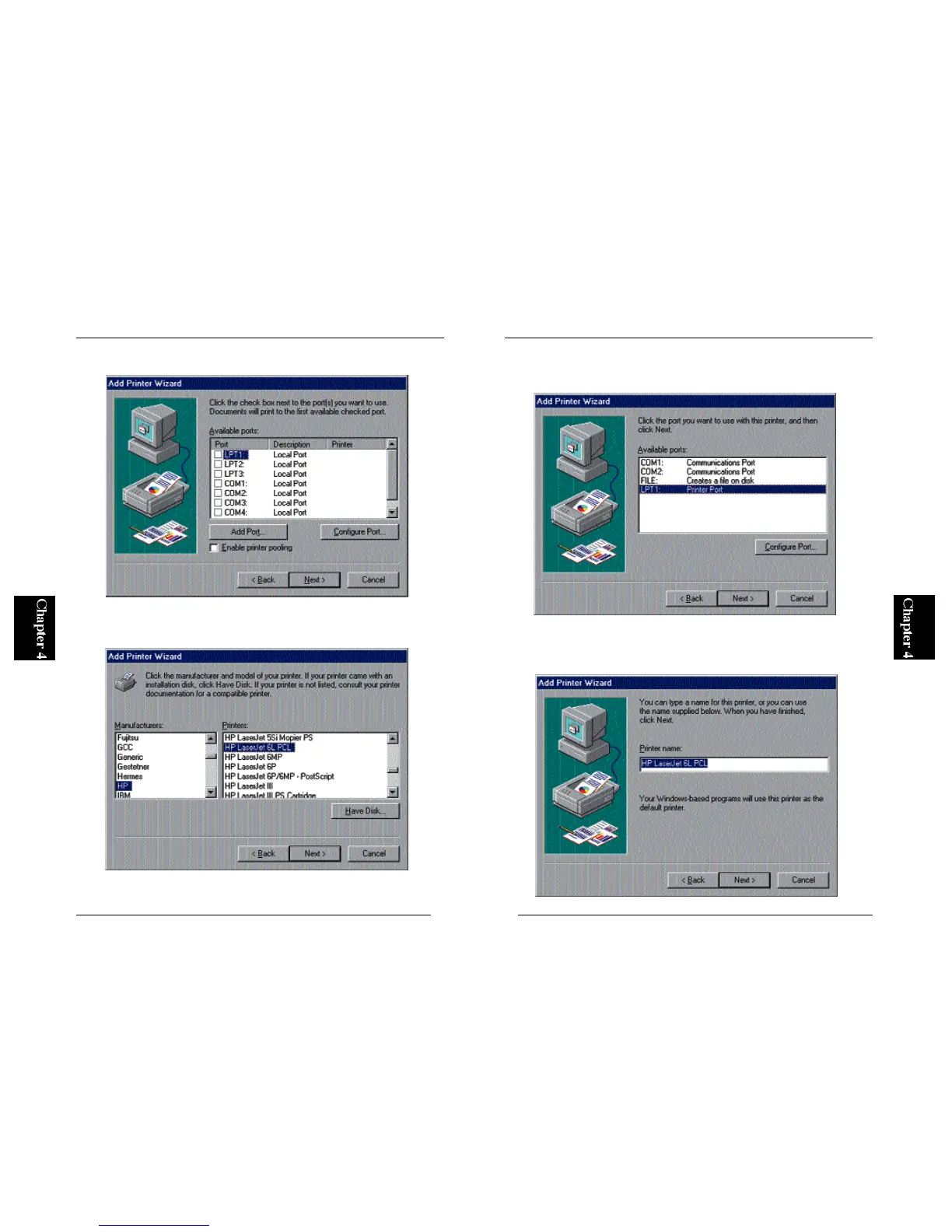
3. You can select a printer in this screen. Refer to the user’s manual of your
printer and specify your printer.
4. From the “Available Ports” list, select “LPT1:” and click on the “Next”
button.
5. You can define a name for your printer. If the default printer name is
o k a y, simply click Next. Otherwise, enter a desired printer name and
click on the Next button.



 To Next Page