83 84
Mini100/Mini2
Mini100/Mini2
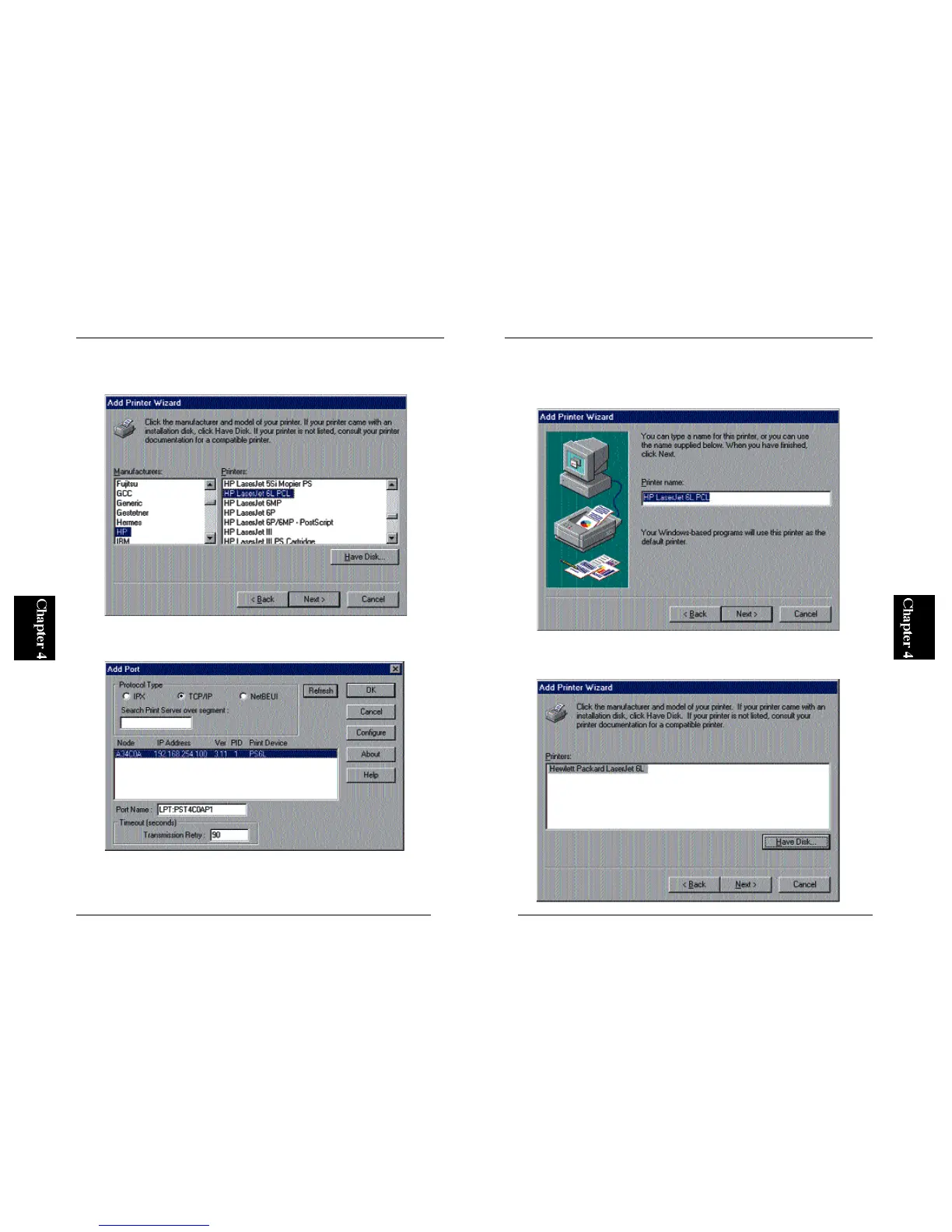
3. Refer to the user’s guide of your printer, and select the manufacturer and
printer name in the two lists.
4. In the “Available Ports” field, select “LPT1:” and click on the Next
button.
5. You can define a name for your printer. If the default printer name is
okay, simply click on the Next button. Otherwise, enter a desired printer
name and click Next.
6. The wizard will ask you whether you wish to print a test page. Select
“No” and click on the Finish button.



 To Next Page