93 94
Mini100/Mini2
Mini100/Mini2
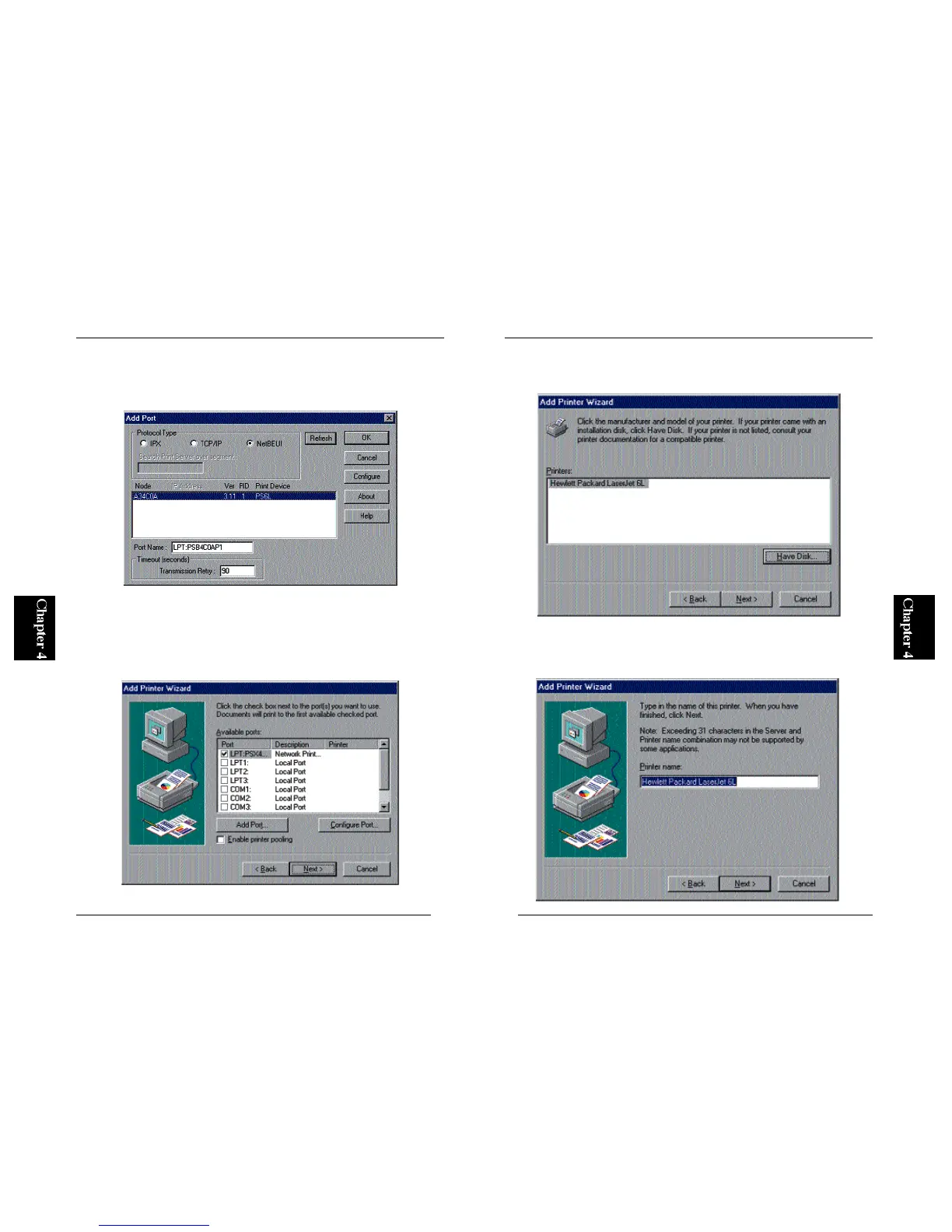
4. A window labeled “Add Port” will be displayed. Click on the NetBEUI
tab. After a while, the wizard detects your print server. Click on the print
server name (under Device Name) and click on the OK button.
* If your print server is not detected, refer to Section 4-2-a in Chapter 4 and
check whether NetBEUI protocol has been installed.
5. The new port should be now visible in the Available Ports list (see
below). Click on the Next button.
6. Refer to the user’s manual of your printer and select the manufacturer and
printer in the two lists.
7. You can define a name for your printer. If the default printer name is
okay, simply click on the Next button. Otherwise, enter a desired printer
name and click Next.



 To Next Page