98
Mini100/Mini2
97
Mini100/Mini2
● 5-2-b Using IPX Protocol to Print
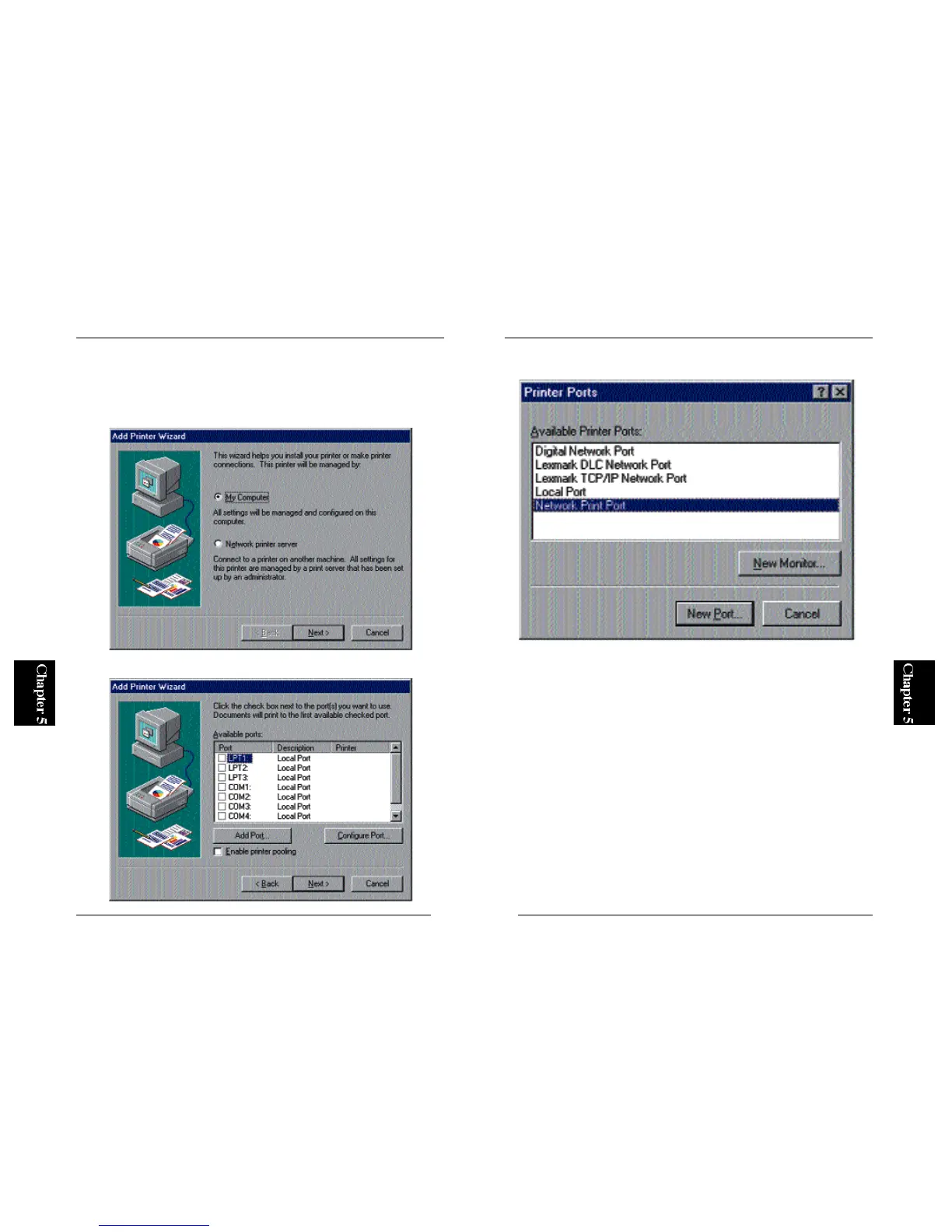
1. From the Start button, select Settings and then Printers. Double-click on
the Add Printer icon. Now, select My Computer and click on the Next
button.
2. In the next screen, click on the “Add Port” button to continue.
3. Select “PS Port” and click on the New Port button.
※ The PS Port item will not be shown if the utility is not installed properly.
Please go to Section 3-2 in Chapter 3 and install the program using “Setup
Diskette”.



 To Next Page