10
Settings
Ringer Tone Setting
You may choose from three tones or four melodies for your phone’s primary
ring tone.
Tones Melodies
Flicker Fur Elise (Elise)
Clatter We Wish You A Merry Christmas (Merry-Xmas)
Wake Up Beethoven’s Symphony #9 (Beethoven9)
Home Sweet Home (Hm Swt Hm)
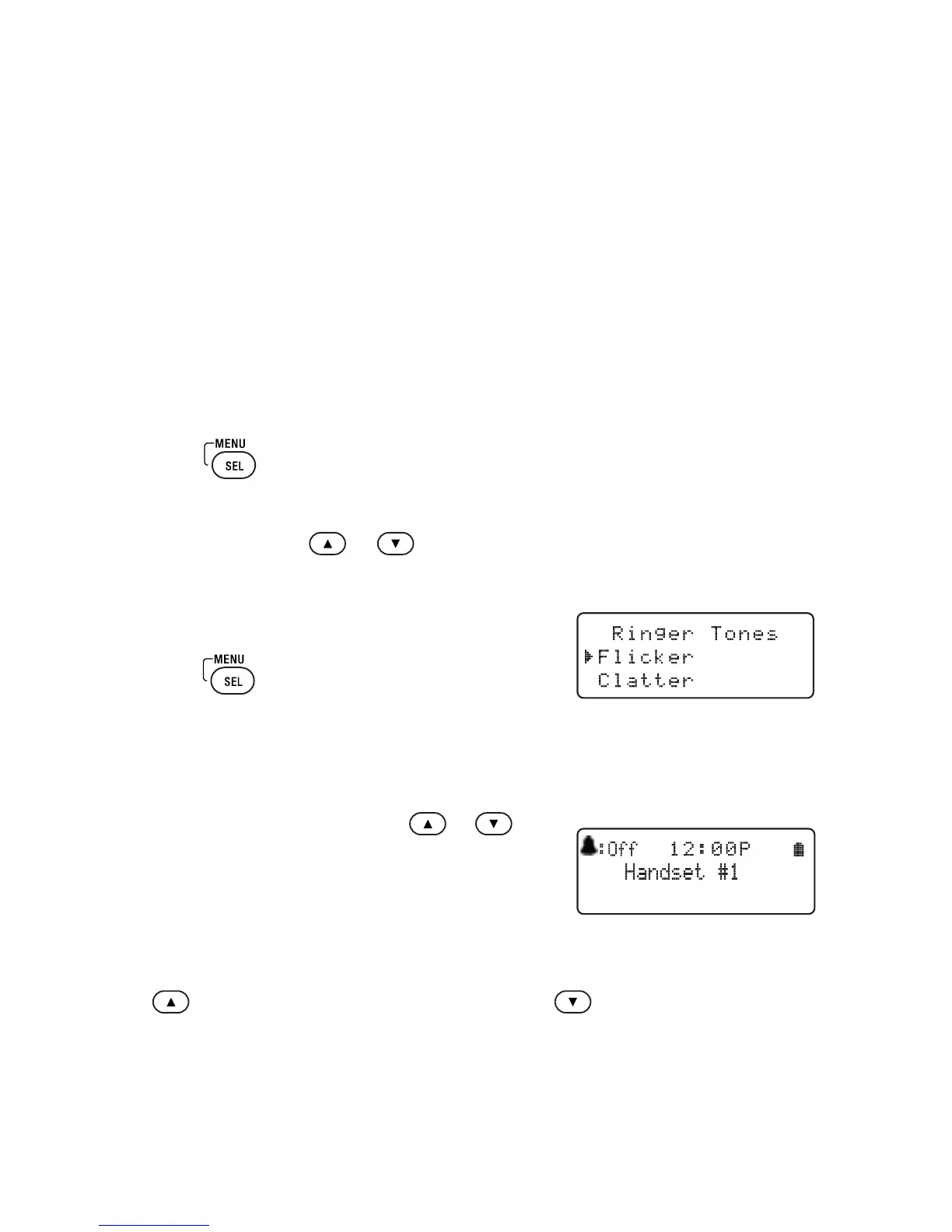
To Change the Ring Tone
1 Press
.
2 Select the Handset Setup menu, and then the Ringer Tones submenu.
3 Move the cursor
or
to select a ring tone.
As each ring tone is highlighted, you will hear a sample (unless the dial pad
ringer volume is set to Off).
4 When you hear the tone you want to use,
press
to confirm.
Ringer Volume Setup
You can choose from three ringer volume settings (Off, Low and High).
With the phone in standby, press
or .
The display shows the current volume level
and the dial pad sounds the ringer at that level.
If ringer volume is set to Off, the bell icon will
appear on the screen next to the word Off while
in standby mode.
Use
to make the ringer volume louder or use
to make it softer or turn
it completely off. When you hear the ringer volume level you want to use, stop
pressing keys. The dial pad will use the new ringer volume starting with the next
incoming call.
NOTE For temporary ringer mute, see Muting the Ringer (Temporarily) on page 14.



 To Next Page