18
Phonebook
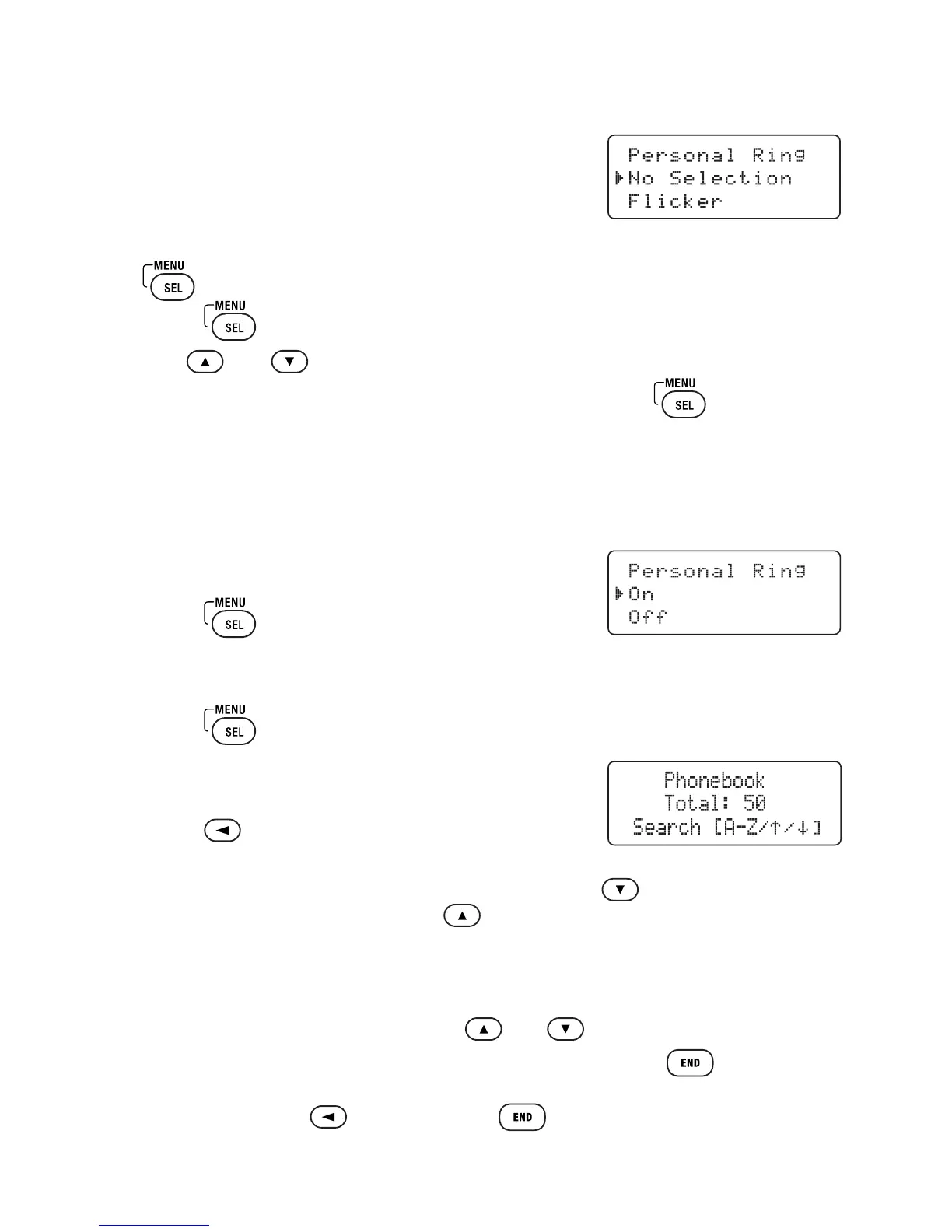
Assigning Ring Tones
You can attach a special ring tone to each
phonebook entry; the phone will use this ring
tone when this person calls. To assign a ring tone:
1 Find the phonebook entry you would like to assign a ring tone and hit
. Choose Edit.
2 Press to scroll through until you see Personal Ring.
3 Use
and
to select one of the seven different ring tones.
4 When you hear the ring tone you want to use, press .
If you do not want to use a personal ring tone for this phonebook entry,
choose No Selection; the phone will use your standard ring tone setting.
5 You will hear a tone confirming that the new entry has been stored,
and Done! appears in the display.
To Turn Assigned Ringing On or Off
1 Press .
2 Select the Handset Setup menu, and then the Personal Ring submenu.
3 Move the cursor to select On or Off.
4 Press . You will hear a confirmation tone.
Viewing the Phonebook
1 Press to open the phonebook.
2 Phonebook entries are stored in alphabetical order.
To scroll through the phonebook from A to Z, press . To scroll through
the phonebook from Z to A press
.
You can also use the letters on the number keys to jump to a name that starts
with that letter. For example, to search for an entry beginning with the letter
M, press 6 once. The phonebook jumps to the first entry that begins with the
letter you entered; you can then use and
to scroll to other entries.
3 To close the phonebook and return to standby, press
.
If you are looking up a phonebook entry during a call and want to close the
phonebook, press again instead of
.



 To Next Page