Section 3. Using Your PX-230A
34 PX-230A Installation and Users Manual
See “Recommended Media” on page 46 for a list of Plextor-approved
media at the time this manual was printed, and see the Plextor web site
at www.plextor.com
for an updated list.
You can write to Ultra Speed CD-RW discs only on drives that support
this media. Drives that are capable of writing to Ultra Speed ReWritable
media, such as the Plextor PX-740A, are identified by a “Compact Disc
ReWritable Ultra Speed” logo.
Tray Loading and Operation
To load and unload the tray:
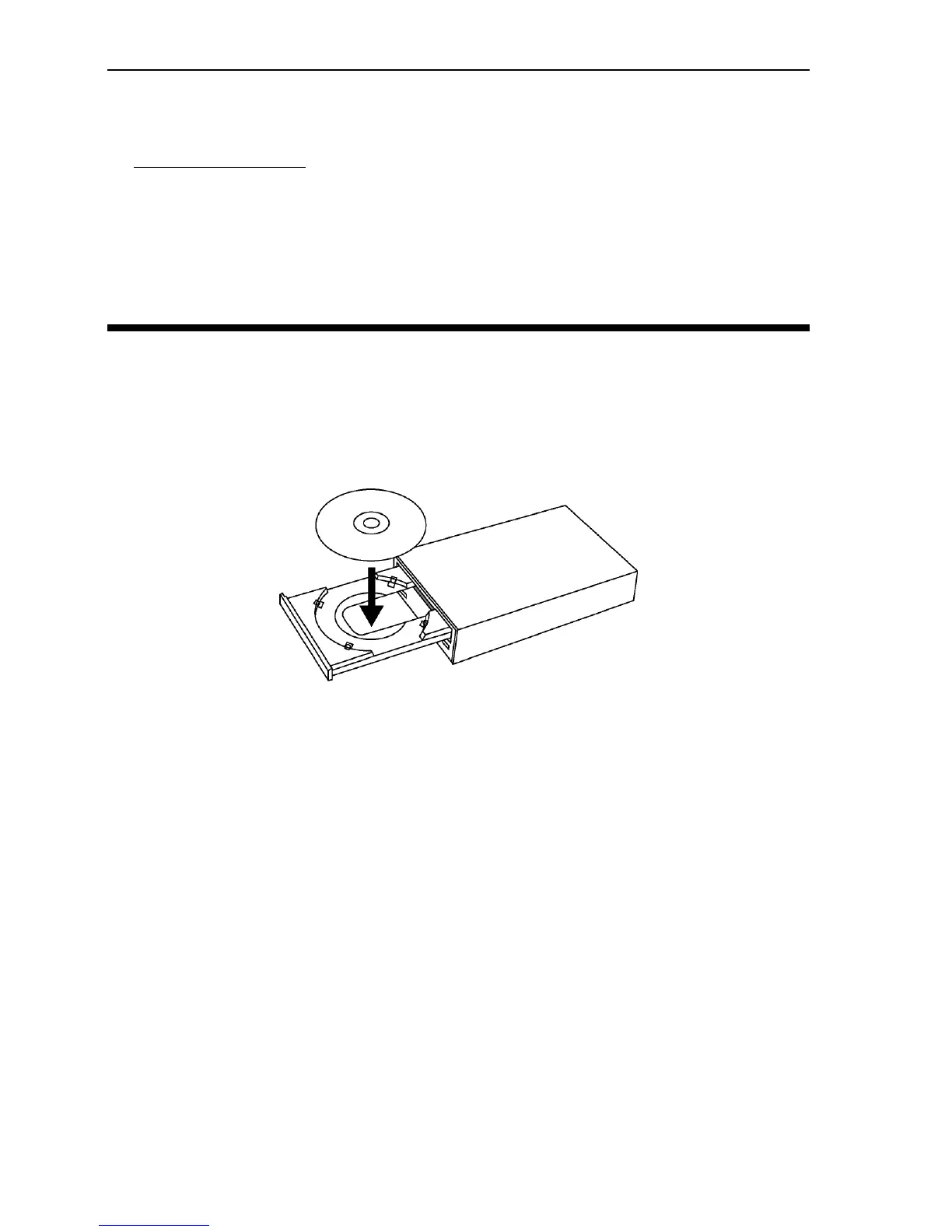
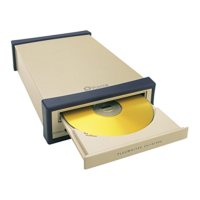
1. While the drive is powered up, push the eject button on the front
panel. The tray drawer slides out in 3–4 seconds.
Figure 18: Loading the tray
2. Lay a CD, CD-R, or CD-RW disc in the depression in the tray, label
side up.
3. Press the eject button again and the tray will slide shut within
seconds.
NOTE: Always use the eject button to close the tray in a smooth and
secure manner. Closing the tray by pressing the front of the drawer using
your hand is not recommended and risks damage or premature wearing
of the mechanism.


 To Next Page