Section 3. Using Your PX-230A
PX-230A Installation and Users Manual 35
Handling Blank CD Media
Take care when handling blank CD media. Dust, scratches, and
fingerprints on either side of the disc can cause write errors during
recording. When picking up or holding blank media you can either place
your fingers along the outer edge of the disc, or place one finger through
the center hole and one finger on the outer edge. Once you have finished
creating a disc, label it by writing on the top using permanent ink.
CAUTION: We recommend using a “non-toxic” marker, such as a
Sharpie pen, that conforms to the ASTM D-4236 standard. Some
permanent markers will damage the media. Also, do not press too hard
when writing on the disc.
NOTE: We do not recommend placing self-sticking CD-R labels on the
disc. The weight of the label may unbalance the disc and cause write
errors during recording or read errors during reading. Also, attempting to
remove the label may permanently damage the disc.
Cleaning Discs
For proper read and write performance, your discs must be clean. Trying
to record on a dirty disc may result in a failed session and ruin the disc.
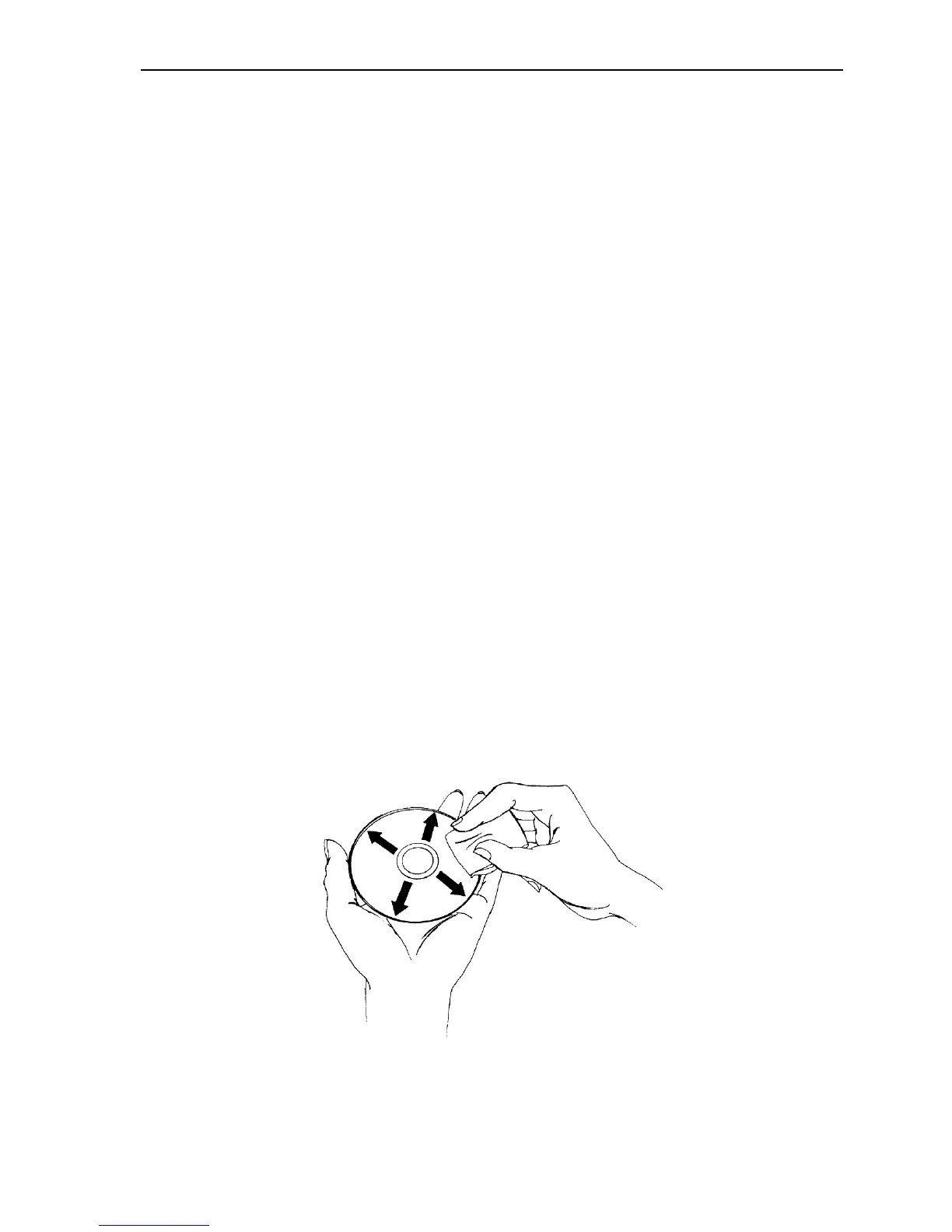
To clean the disc, wipe the disc using a clean, soft cotton cloth to
remove surface dirt such as fingerprints. Use a straight-line motion,
wiping from the center out. Do not wipe the disc in a circular motion.
Figure 19: Wipe the disc from the center outward


 To Next Page