Section 4. Maintenance and Troubleshooting
PX-230A Installation and Users Manual 39
Emergency Eject
If the computer power is turned off or the automatic eject button at the
front of the drive does not work, use this procedure to open the drive.
To use the emergency eject tool to open the drive:
1. Make sure power to the drive is OFF. (That is, turn off your
computer.)
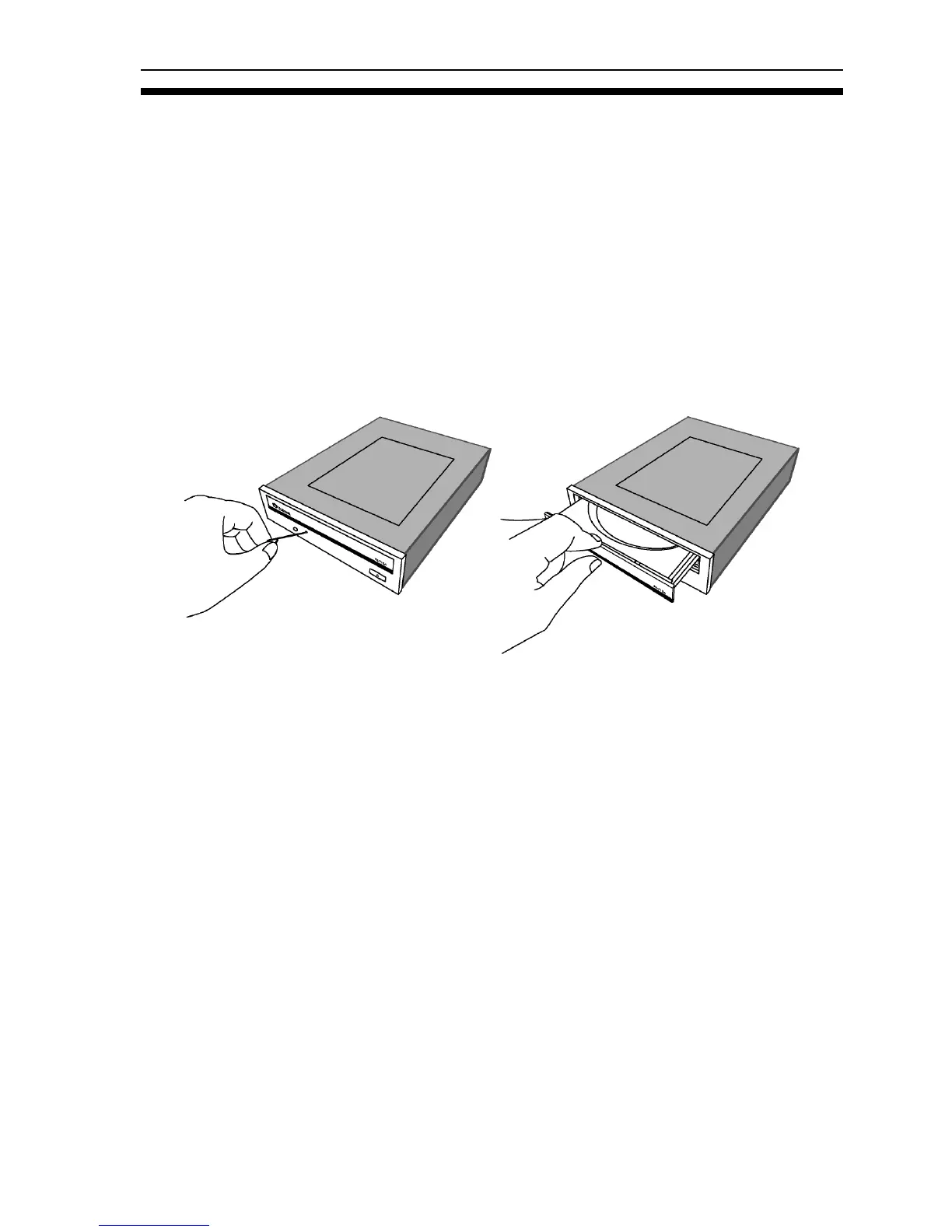
2. At the front of the drive, insert the emergency eject tool, or a paper
clip or other thin, rigid object, into the emergency eject hole.
Figure 20: Emergency eject
3. Push the tool or other object straight in, until the disc tray clicks
open.
4. Carefully continue to slide the disc tray open.
5. If a CD is present, remove the CD from the disc tray.
6. Carefully push the disc tray shut.


 To Next Page