Section 1. Getting Started
PX-230A Installation and Users Manual 3
• OPC: Optimum Power Control, which adjusts the laser power for the
optimum write strategy.
• CD-TEXT, Karaoke CD: Supports CD-TEXT and Karaoke CD
(VCD format) writing.
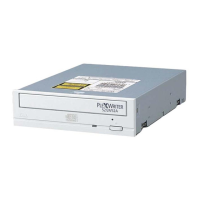
• Small form factor: To maximize space inside your computer, depth
of the PX-230A without its bezel is just 6.8 inches (172.5
millimeters).
Minimum Configuration to Use the PX-230A
Here’s what you’ll need in order to install and use the PX-230A drive.
• Computer: Pentium III, 500-MHz or faster CPU.
• Minimum RAM: 128 MB.
• Interface: Model PX-230A requires an IDE ATAPI interface.
• Hard disk size: To write to a CD in image mode (that is, to write an
image of a CD to your hard disk), you need 1 GB of free space. (For
more accurate guidelines, see the help files or documentation for the
recording software you’re using.)
• Operating System: The PX-230A operates under Windows XP,
2000, Me, 98SE (Second Edition), or 98.
NOTE: Roxio Easy Media Creator 7 software requires Windows
2000/XP.
What You Can Do with the PX-230A
Just look at some of the things you can do with your PX-230A:
• Record data or audio onto writable or rewritable CD media.
• Play music CDs.
• Save photos and other images on rewritable or writable CDs.
• Create a CD “sneakernet” to share information with colleagues—just
use software to drag and drop files onto CD-R or CD-RW media,
then continue adding files and sharing the same disc.
• Archive images and video to CD.
• Master new software programs on CD.


 To Next Page