25
6. PLSRailSystem
The rail system that you have chosen can be ed with a Transit Coupling,
Turntable or Track-Switch.
6.1. Turntable(oponal)
A turntable allows you to traverse
crossings in the rail system.
If you leave the Ceiling Hoist in the
middle of the turntable for 1.5 seconds,
the status lighng will turn green and it
will automacally make a quarter turn.
You can leave the turntable at both sides.
If you use mulple Ceiling Hoists in your system, it is possible that you will
not be able to ride straight into a turntable because it is turned. Wait for 1.5
seconds at a safe distance from the turntable, aer which the turntable will
make a quarter turn, allowing you to ride into it.
6.2. Track-Switch(oponal)
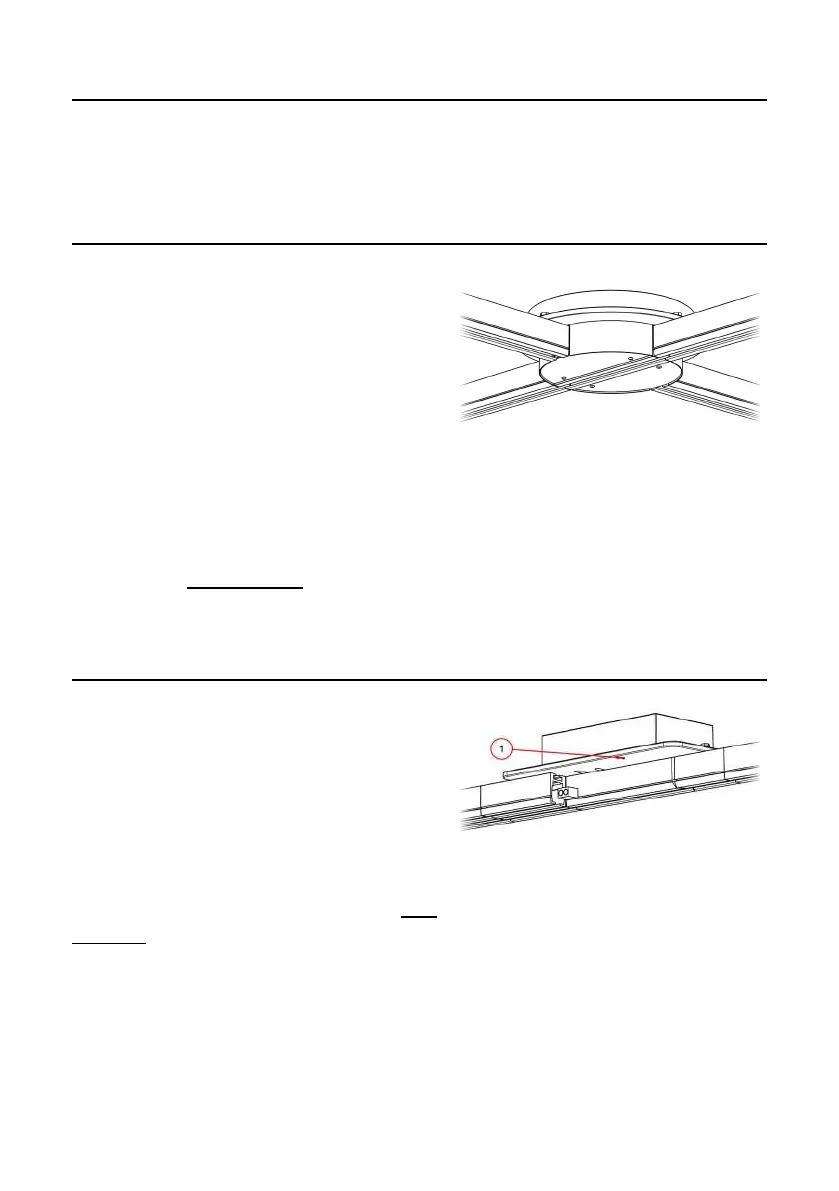
You can use a Track-Switch to create a
juncon in a connuous rail.
If the Track-Switch is in the correct
posion, you can connue moving.
If this is not the case, then stop moving
the Ceiling Hoist for 1.5 seconds at a safe
distance from the Track-Switch. The status light (1) will turn green and the
switch will automacally change direcon. You can connue the transfer.
Figure 14, Turntable
Figure 15, Track-Switch



 To Next Page