Do not measure voltages above 600 V to avoid electric shock or damage to the instrument.
Do not apply more than 600 V between common and ground to avoid electric shock or
damage to the instrument.
Notes:
● The meter shows readings in the DCV 600 mV and 6 V ranges even when there is no input
voltage or no test pens connected. Then short circuit V-Ω and "COM" so that the meter shows
zero.
● Please change the range to a higher one if "OL" is displayed.
● In ACV range, short press the "FUNC-Hz" key to check AC frequency. Please refer to frequency
measurement.
● All AC voltage values measured with this meter are true RMS (square root). For sine waves and
other waveforms (without DC offset) such as square waves, triangular waves, and step waves,
these measurements are accurate.
7.2 Resistance Measurement
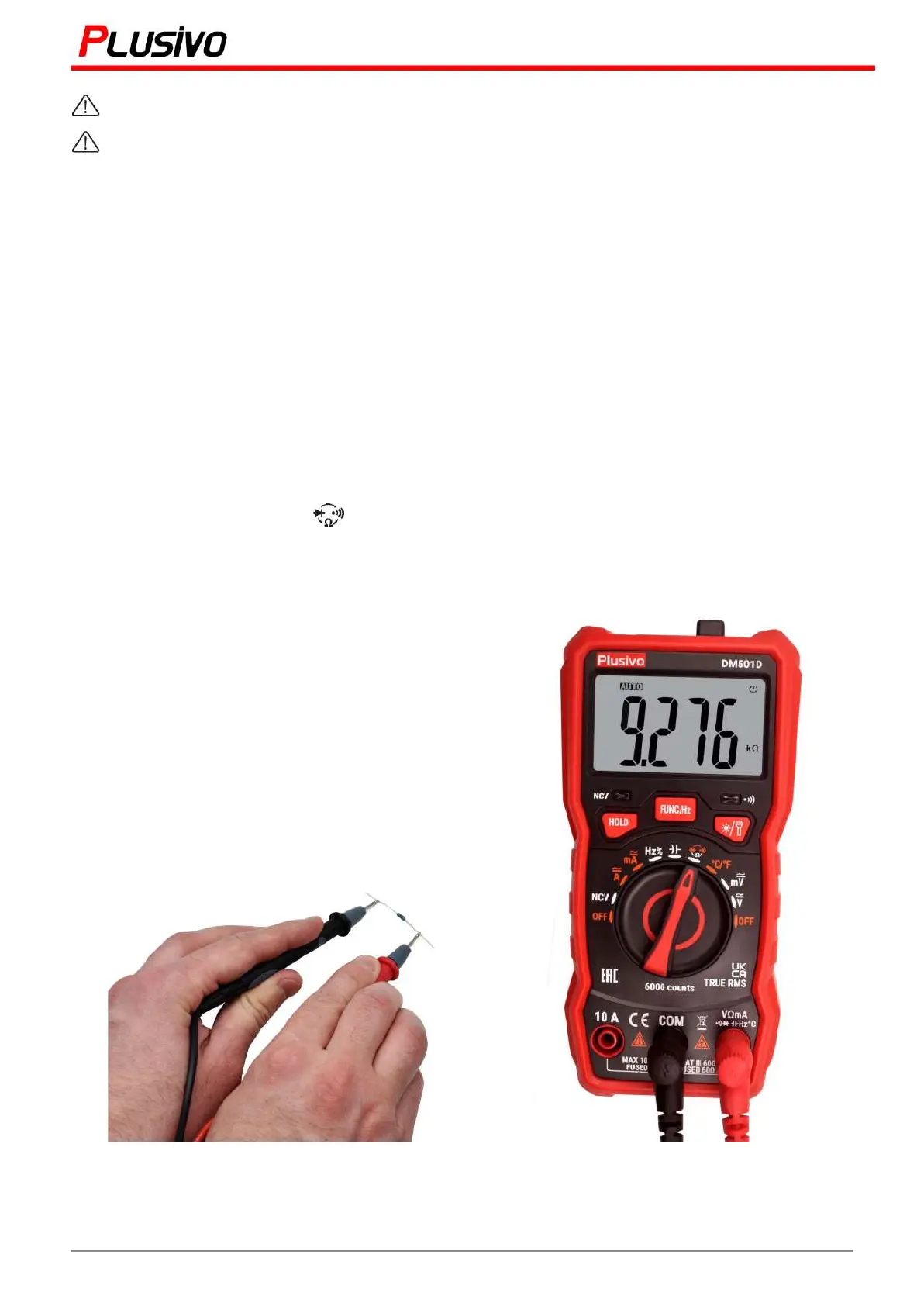
1. Turn the rotary switch to position and press "FUNC-Hz" to select Ω.
2. Connect the black test pen and the red test pen to the "COM" jack and the "V-Ω" input jack.
3. Use the test pen to check the resistance value of the circuit.
4. The resistance value is displayed on the display window.
The resistance measured in this figure is 9.276 kΩ
13
Mastering the Art of Measurement (DM501D Digital Multimeter) r.01 www.plusivo.com


 To Next Page