To avoid damage to the meter or device under test, all power to the circuit under test must
be turned off before measuring resistance, and all high voltage capacitors must be fully
discharged.
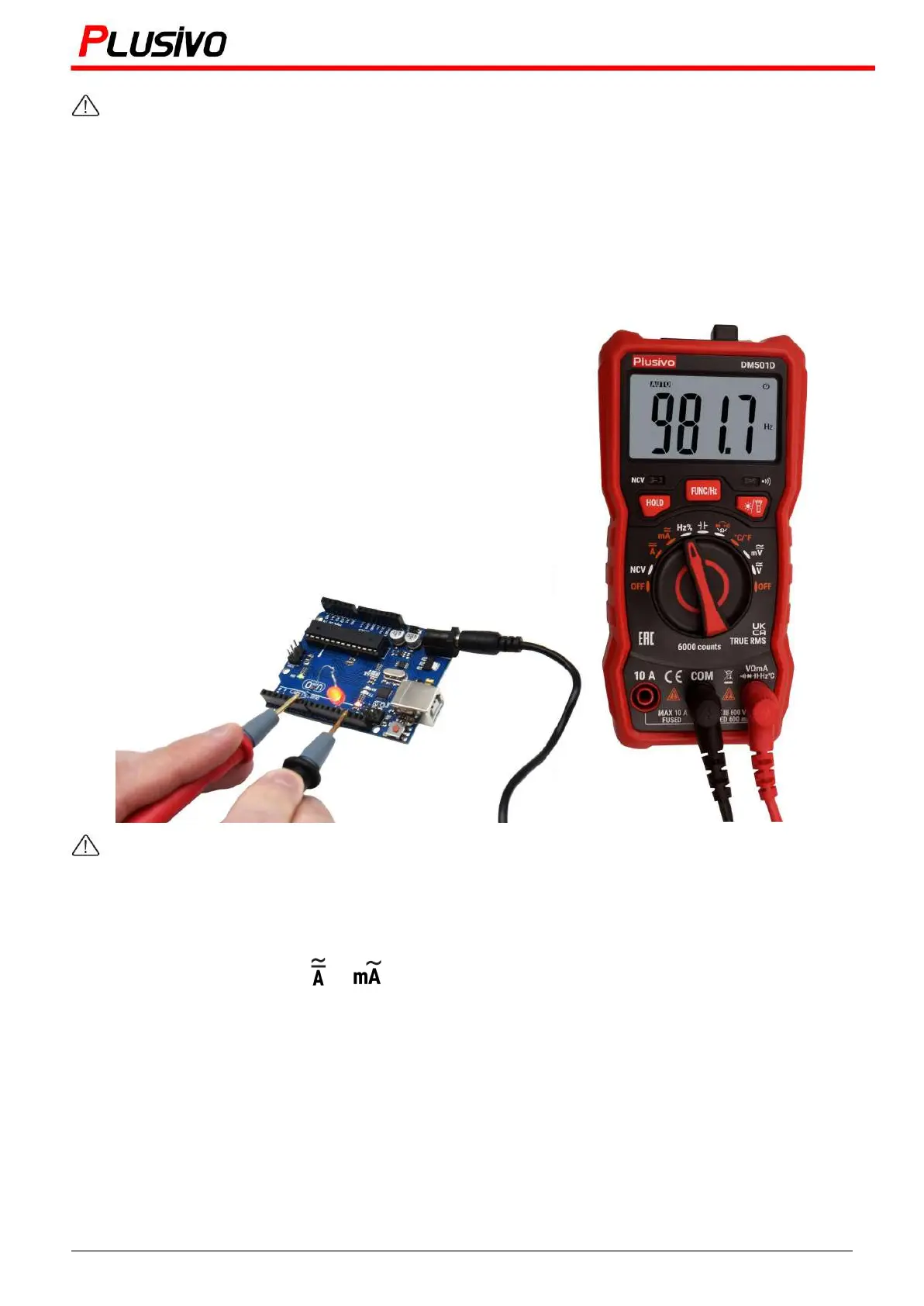
7.5 Frequency Measurement
1. Turn the switch to Hz%.
2. Connect the black test pen to the "COM" jack and the red pen to the Hz jack.
3. Measure the frequency value of the circuit under test with the other two ends of the test pens.
4. Press the FUNC-Hz button to display the frequency reading.
Do not test any voltage higher than 250 V to prevent electric shock or damage to the
instrument.
7.6 Current Measurement
1. Turn the rotary switch to or position and press "FUNC-Hz" to select AC/DC.
2. Connect the black test pen to the “COM” input socket. If the measured current is less than 600
mA, connect the red test pen to the mA input jack. If the measured current is between 600 mA
and 10 A, connect the red test lead to the “10 A” input jack.
3. The circuit to be tested is disconnected, a black test pencil is connected to the disconnected
circuit at its lower voltage end, and a red test marker is connected to the disconnected circuit at
the higher voltage end.
4. Connect the circuit power supply and then read the displayed reading. If only "OL" is shown on
the display, it means that the input exceeds the selected range. The rotary switch must be in the
higher range.
5. Long press the “FUNC-Hz” to show the frequency of the alternative signal in the ACA mode.
16
Mastering the Art of Measurement (DM501D Digital Multimeter) r.01 www.plusivo.com


 To Next Page