PocketBook 302 User Manual
19
6. Enter your e-mail address, which will later be your login to access electronic library
BookLand.
7. Enter the password and password confirmation.
8. Enter your second name, first name (mandatory) and patronymic.
9. Check a flag "Subscribe to Newsletters", if you want to receive news by email.
10. Click Apply to finish registration.
Now you can access the electronic library using your login and password.
LIBRARY SIGN-IN CONFIGURATION
To automatically enter the library with your login and password, you need to do a little
adjustment of your application BookLand.
1. Open Books section, to do this click the button Books in main menu.
2. Tap with stylus the line BookLand, it stands the first in the list.
3. Press with stylus the right button Settings in the bottom of the screen.
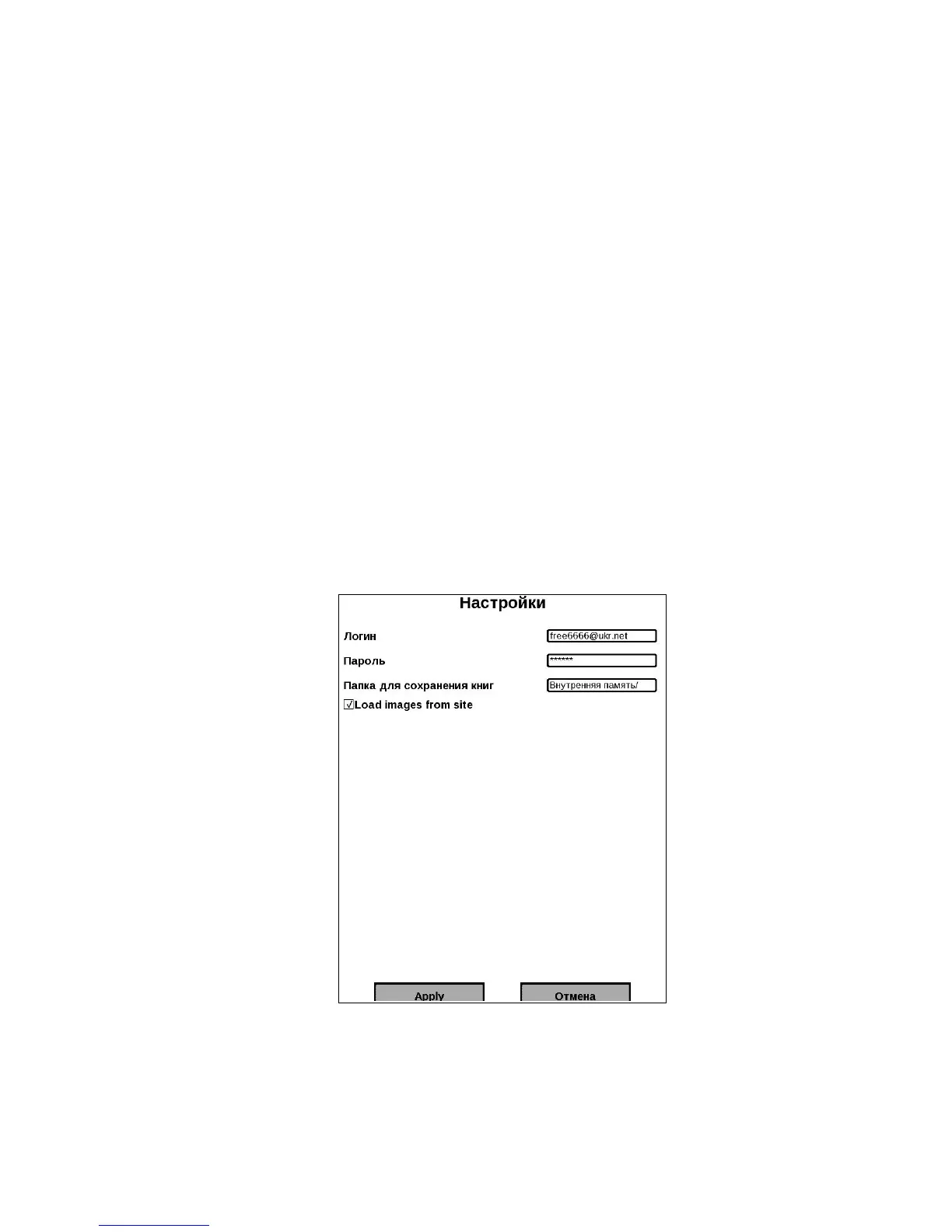
4. The dialog window "Settings" will open (figure 9).
5. Enter your email and password indicated during registration.
6. If necessary, set the folder to save the books downloaded from the library.
7. Check "Load images from the site" if you want to see the cover of the book next to its'
abstract.
8. Tap with stylus Apply to save access parameters.
Figure 10. Access configuration to BookLand
REVIEW AND MANAGEMENT OF BOOKSHELVES AND BOOKS ON THEM
1. Open Books section, to do this click the button Books in main menu.
2. Tap with stylus the line BookLand, it stands the first in the list.
3. Tap with stylus on the item "Bookshelf".
4. There will open a list of the main bookshelves and users' bookshelves.















 To Next Page