PocketBook 302 User Manual
28
VIEW AND MANAGE NEWS LIST
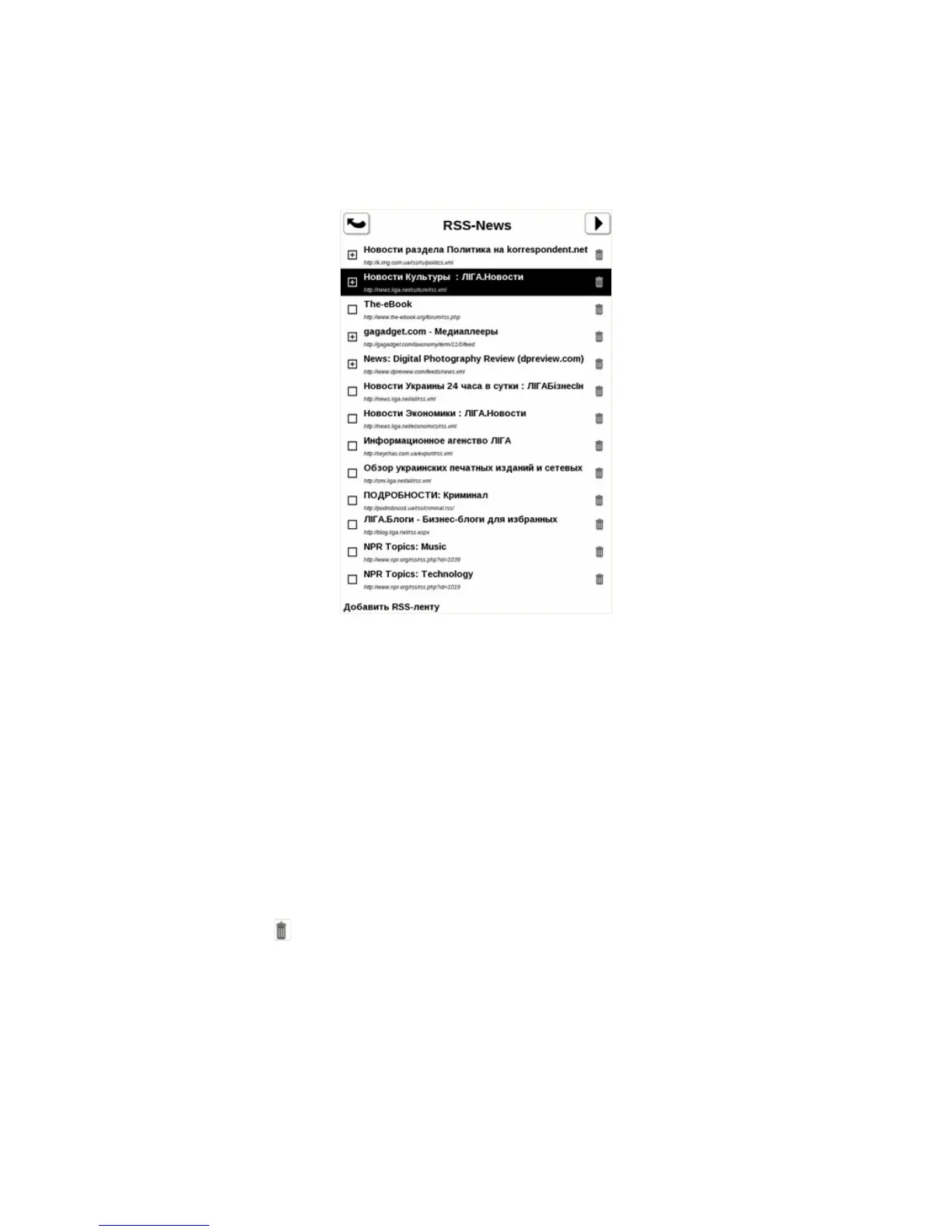
Press the item News in main menu, and than Configuration of RSS feeds list.
Figure 15. News feeds
ADD NEW NEWS FEED
1. Press the item News in main menu, and than Configuration of RSS feeds list.
2. Press Add RSS feed. An on-screen keyboard appears. Enter url of rss-feed. Tap with
stylus on the bottom Enter to save changes. After tap Х to hide the keyboard.
SELECT A NEWS FEED TO UPDATE
Depending on configuration, the device can download updates only for news with set mark.
1. Press the item News in main menu, and than Configuration of RSS feeds list.
2. Tap on feeds for which you want to change flag status.
REMOVE NEWS FEEDS
1. Press the item News in main menu, and than Configuration of RSS feeds list.
2. Press on icon
on the right from the feed.
3. It will disappear from the list.
NEWS UPDATE
Press the item News in main menu, and than Update.















 To Next Page