PM451 Android 9.0 User Manual
29
© 2024 Point Mobile Co., Ltd. All rights reserved
Learning the basics
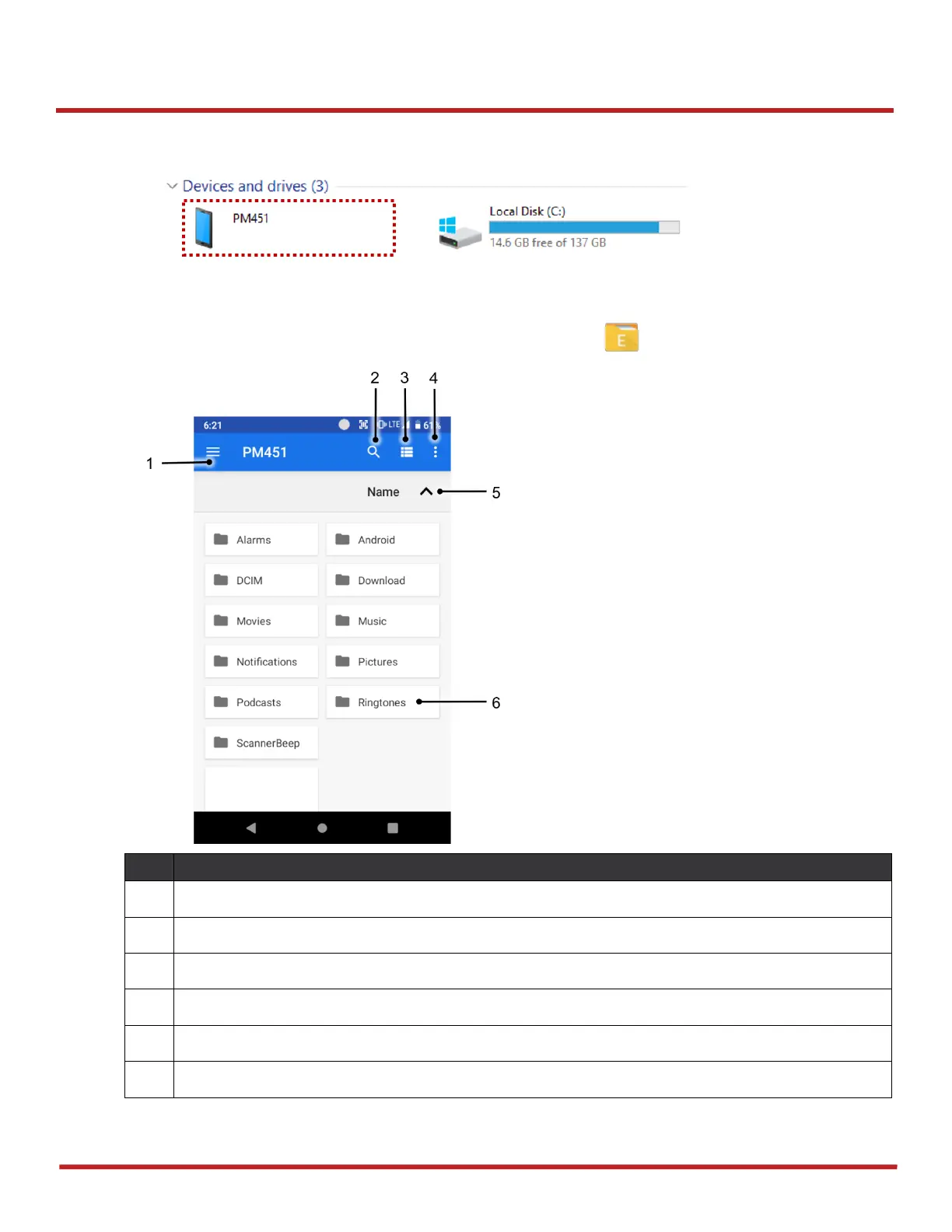
3. Now your PC recognize the connected device. In file explorer, you can find PM451 device.
Manage Files and Folders
To manage or share the files on the device, open
FileExplorer
in App drawer.
Select media file type or storage
Change the view of file list
Open the advanced option – Create a new window or folder / Select all files and folders
Change the sort – Name / Modified / Type / Size
Tap a file or folder to open. Or long-press a file or folder to select
Figure 29 File explorer on PC
Figure 30 FileExplorer main screen



 To Next Page