PM451 Android 9.0 User Manual
5
© 2024 Point Mobile Co., Ltd. All rights reserved
Getting Started
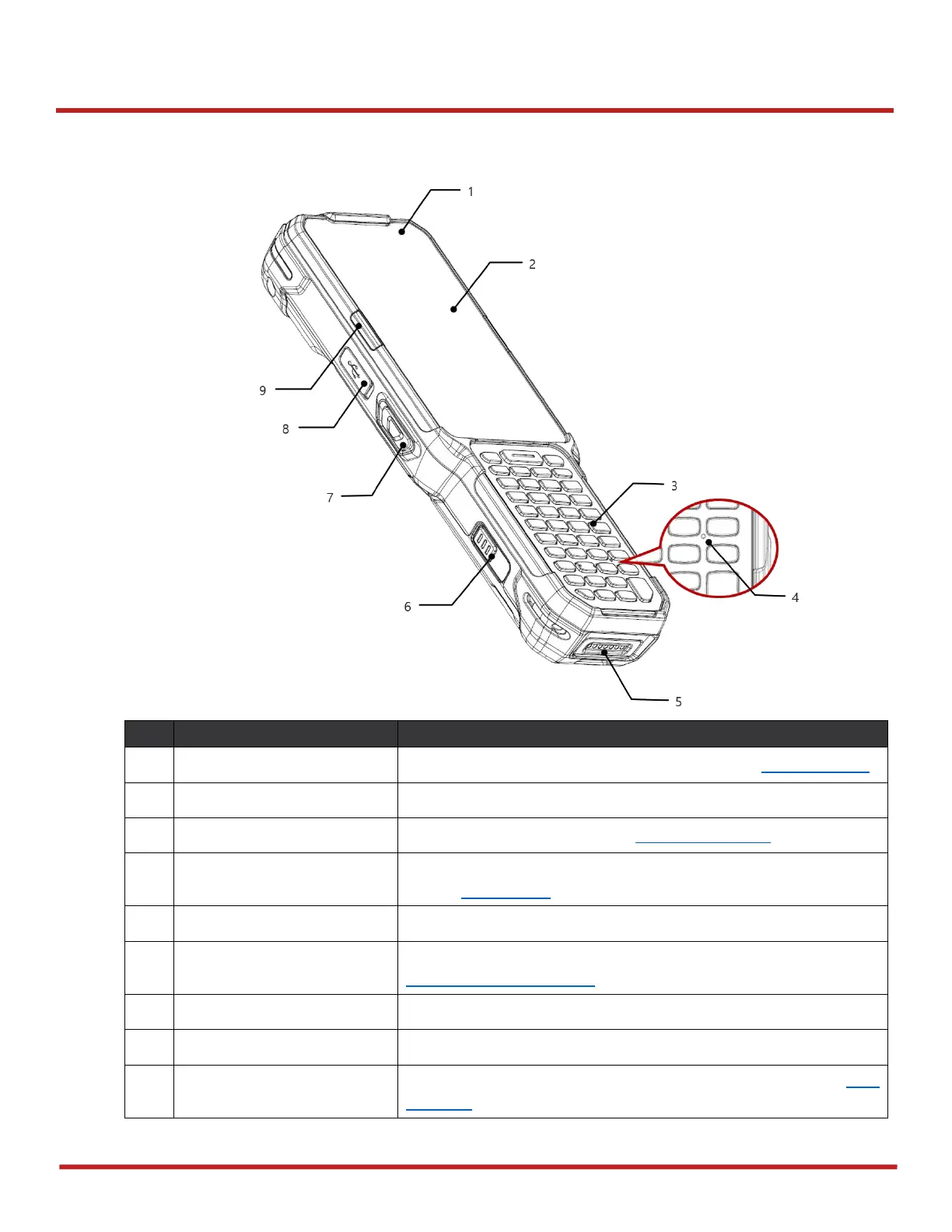
Device Parts
Indicate the power status and notification. See LED Indicator.
Display all operating screen
For detail information, refer to Using the Keypad
Use for communications. Find the location on the other keypad
type in Microphone
Pogo 7 pin type I/O connector
Press to release the battery from PM451. For more detail, see
Install & Remove Battery
Scan a barcode by pressing
Center LED indicator (Left)
Indicates success/failure of barcode reading. See LED
Indicator
Figure 1 PM451 front view



 To Next Page