PM451 Android 9.0 User Manual
39
© 2024 Point Mobile Co., Ltd. All rights reserved
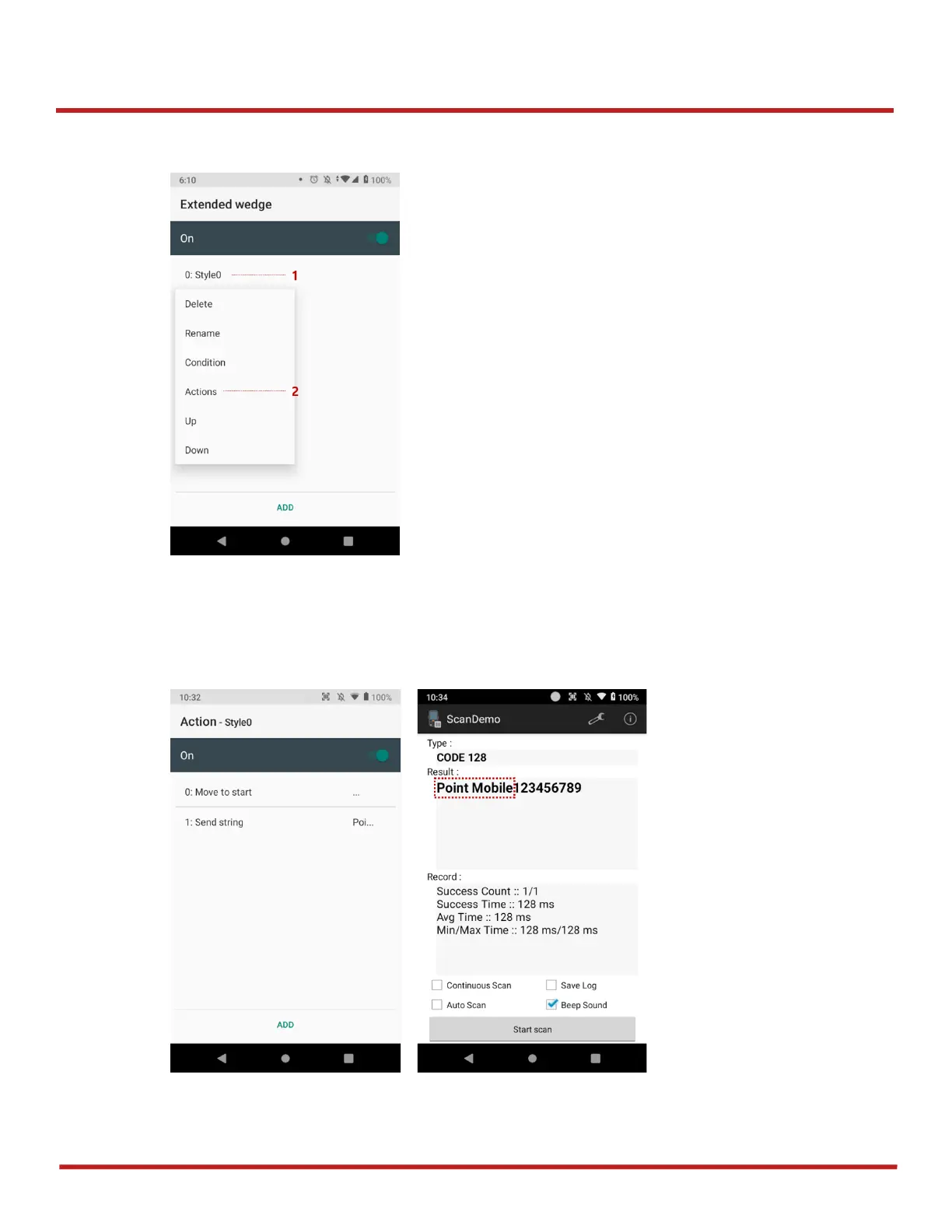
Scanner
3. Tap
Style
(1) and select
Actions
(2)
4. Tap
ADD
and select
Move to start
to point the start of the decoded data. And then, add another
action of which
action type
is
Send string
and set
value
as "Point Mobile". Now you can get
decoded data with "Point Mobile" text.



 To Next Page