PM451 Android 9.0 User Manual
11
© 2006 – 2020 POINTMOBILE Co., Ltd. All rights reserved
Getting Started
Charge the device
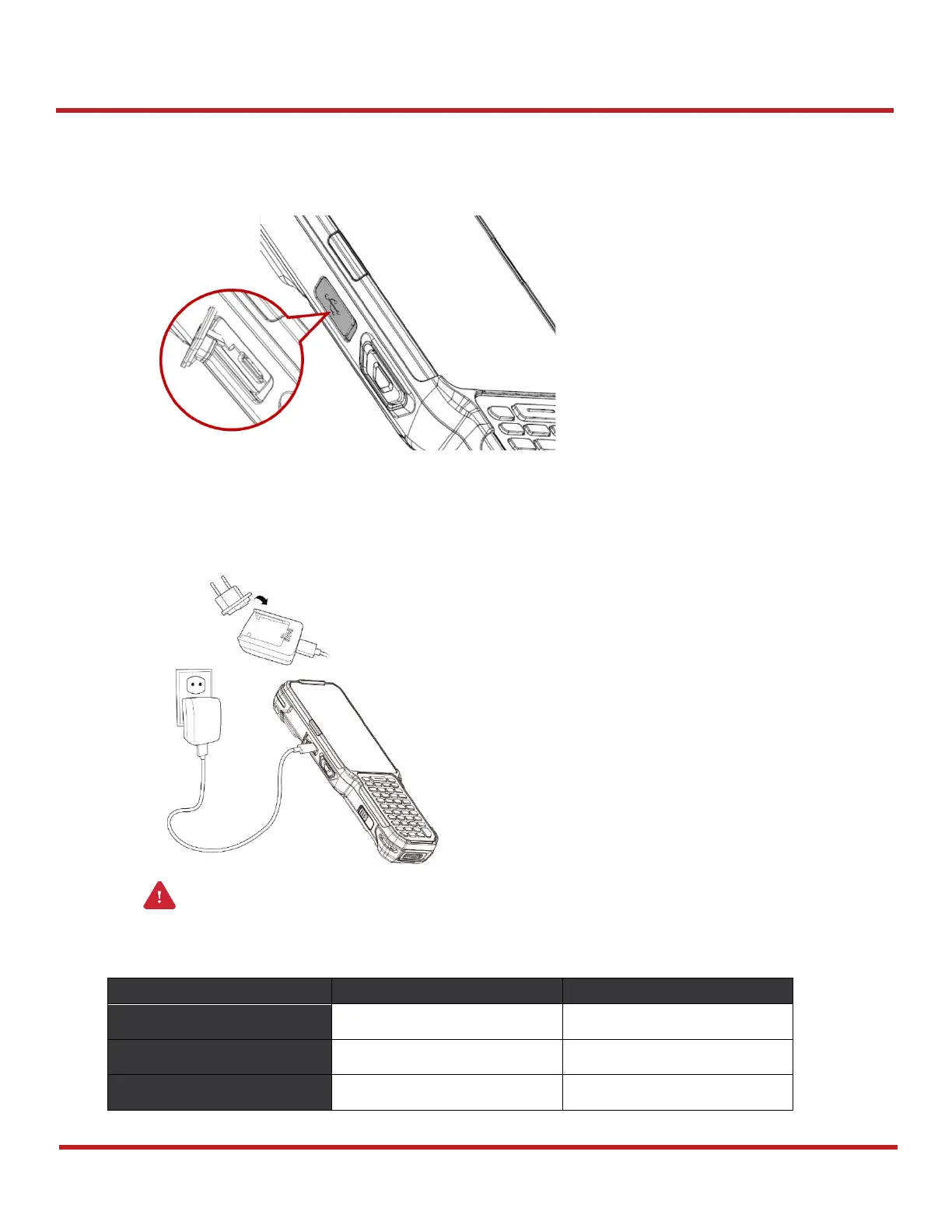
1. Open the cap of the USB connector on the left side of the PM451
2. Assemble the proper country plug and the AC/DC power supply
3. Plug USB type C cable to the AC/DC power supply
4. Connect the cable to PM451 and provide power by plugging the power supply to the wall socket
Battery Specification
Caution:
Always use an original charger and cable from Point Mobile. Other chargers
and cables may damage PM451. Also, make sure the charger and cables are not wet.


 To Next Page