PM451 Android 9.0 User Manual
27
© 2006 – 2020 POINTMOBILE Co., Ltd. All rights reserved
Learning the basics
MTP Connection with PC
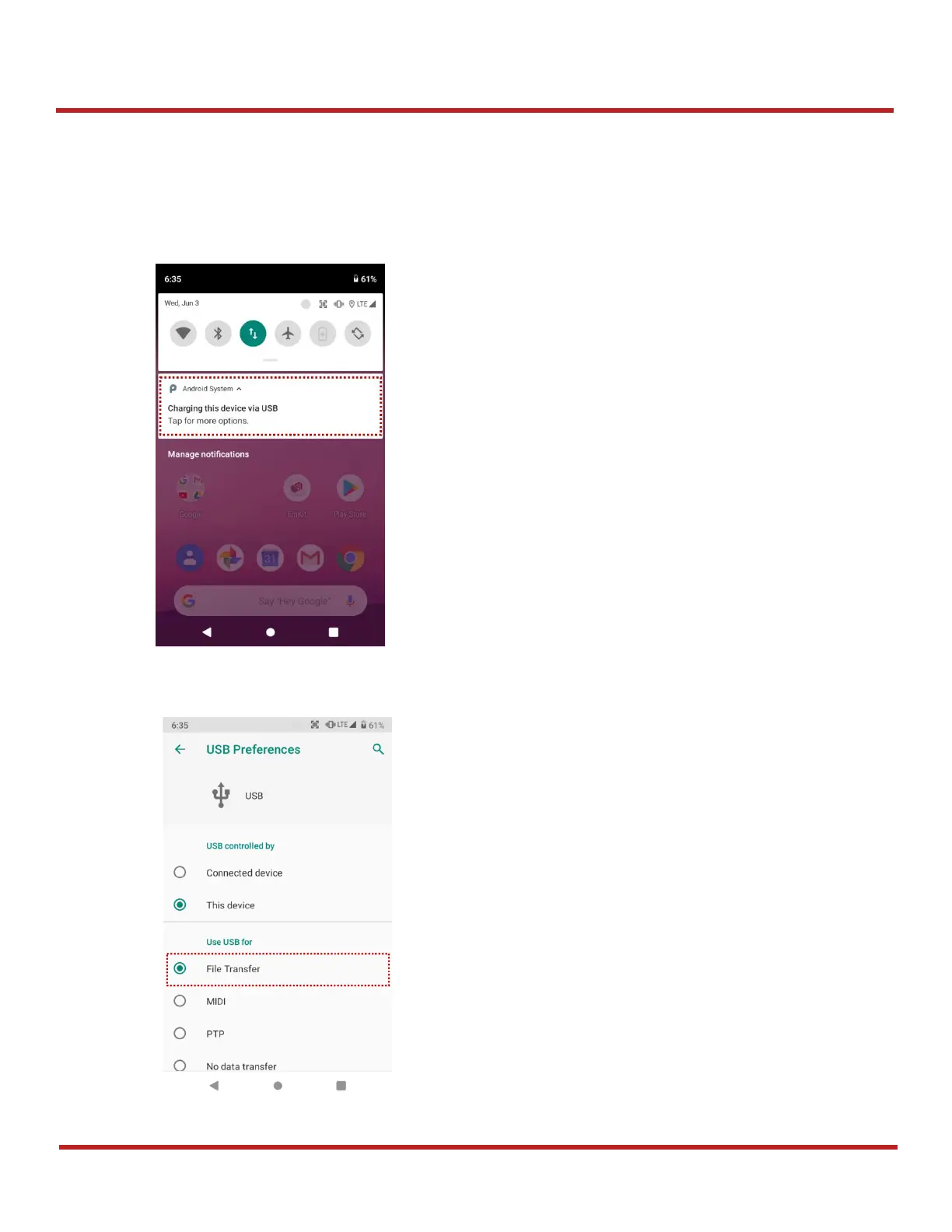
To transfer the files with your PC, connect the device to PC via USB cable first.
1. Drag down the Status bar and tap
Android System
notification to change USB preference option
2. Change the option to
File Transfer
from
No data transfer


 To Next Page