PM451 Android 9.0 User Manual
50
© 2006 – 2020 POINTMOBILE Co., Ltd. All rights reserved
System Maintenance
Factory Data Reset
When you have a problem with your device or want to reset your device, follow the steps below to do a
factory data reset.
Factory Data Reset via Settings app
If you can turn on the device and can access the Settings app,
1. Go to
Settings
>
System
>
Advanced
>
Reset options
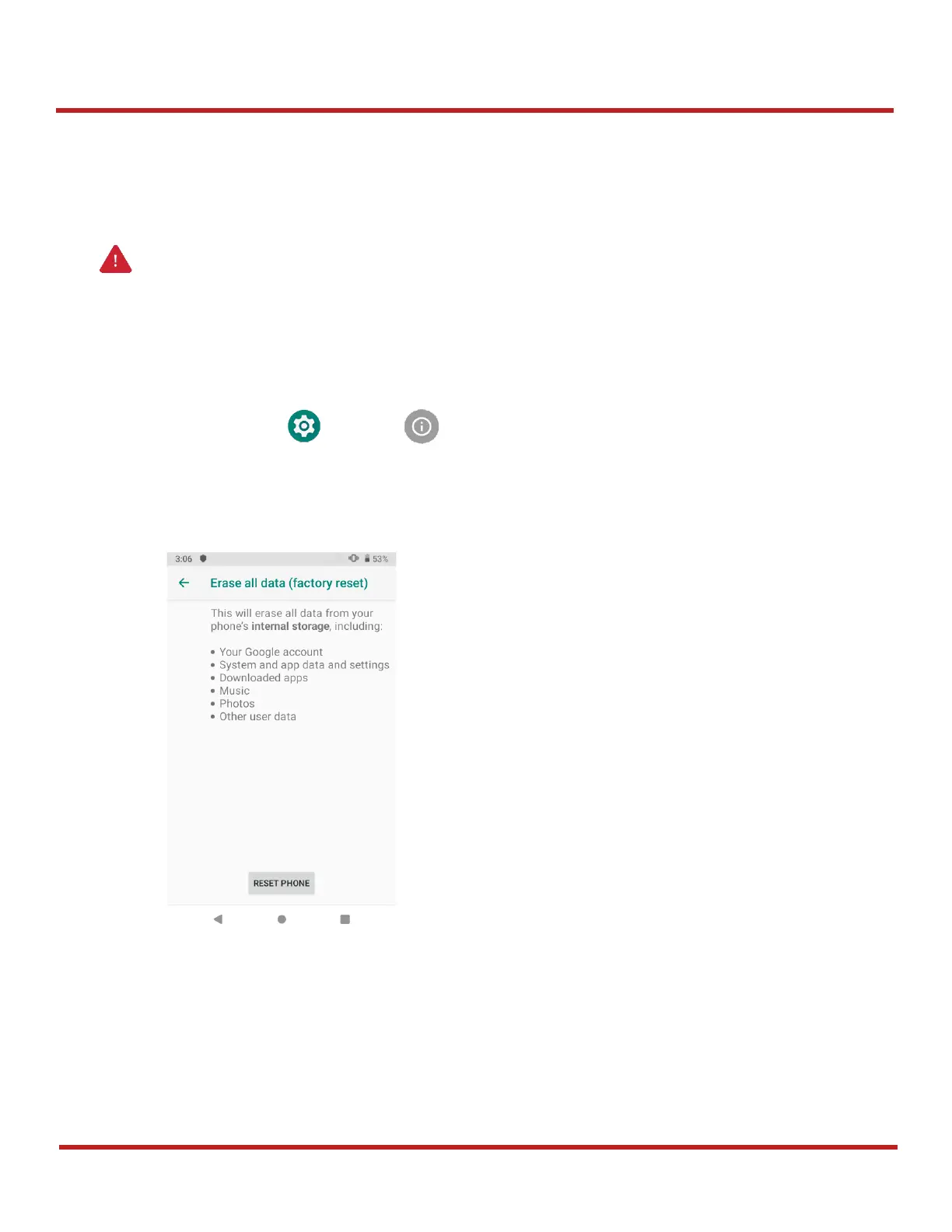
2. Tap
Erase all data (factory reset)
3. After being aware that factory reset will erase all data from the internal storage, Tap
RESET
PHONE
4. Tap
ERASE EVERYTHING
to start the factory reset process
Caution
: Factory data reset will erase all personalized settings and data saved in your phone,
such as Google account, apps, user data, etc. And factory data reset cannot undo.


 To Next Page