PM451 Android 9.0 User Manual
43
© 2006 – 2020 POINTMOBILE Co., Ltd. All rights reserved
Wireless
Wi-Fi
1. Go to
Settings
>
Network & internet
>
Wi-Fi
2. Tap toggle button to enable Wi-Fi
3. Device searches for nearby Wi-Fi signals and each SSID listed by signal strength
4. Select a Wi-Fi SSID you want to connect
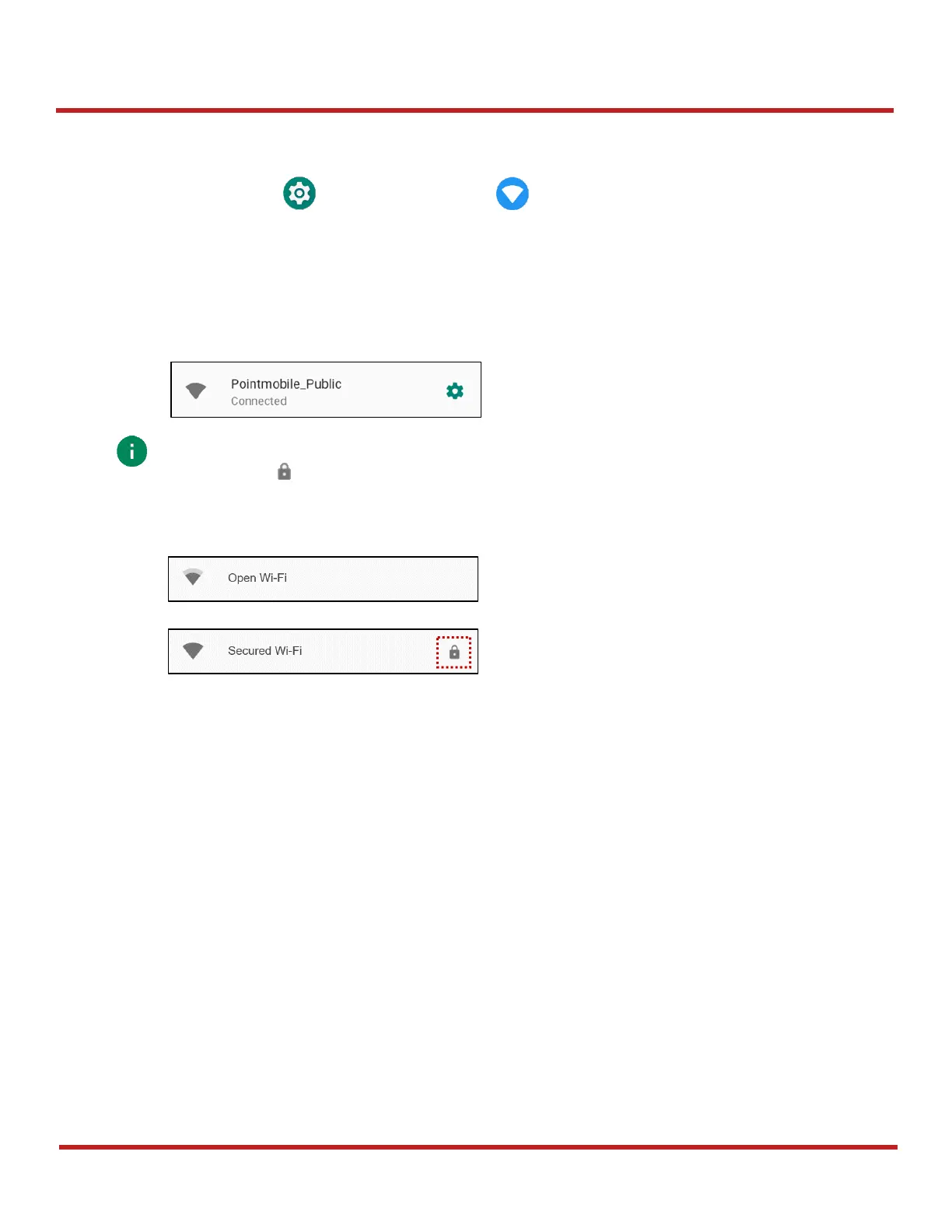
5. The message
Connected
under the SSID means the device complete to connect to the Wi-Fi
Note:
There are Open Wi-Fi network and Secured Wi-Fi network. You can tell those apart
by lock icon ( ) in the nearby Wi-Fi list. To connect the Secured Wi-Fi network, you
need to enter the password.


 To Next Page