PM451 Android 9.0 User Manual
32
© 2006 – 2020 POINTMOBILE Co., Ltd. All rights reserved
Learning the basics
Use a Camera
PM451 have a camera on the top of the device.
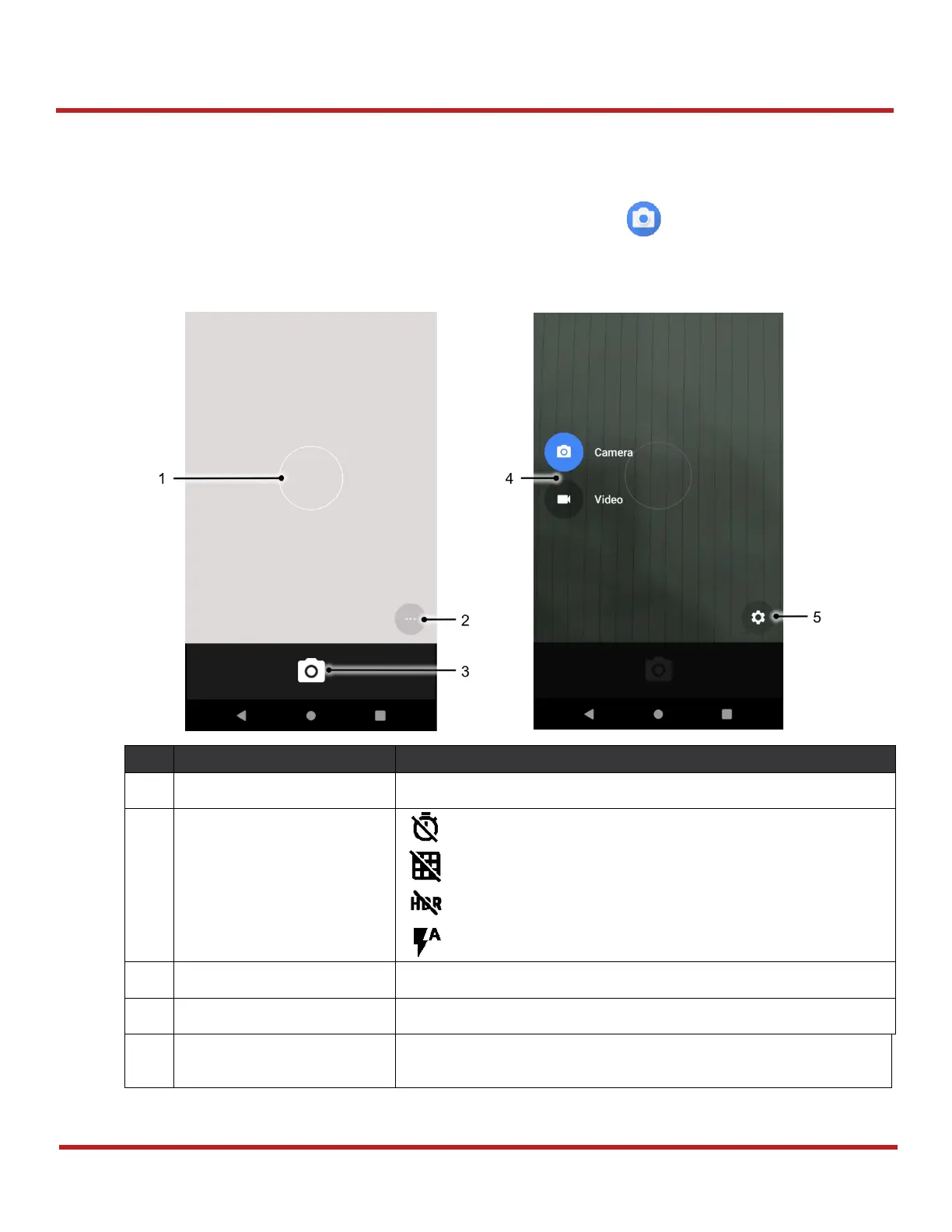
To use the camera, open App drawer and tap Camera application .
Figure 35
is a main screen of Camera application, and
Figure 36
is a screen that is displayed when
you swipe the screen to right.
You can change the focusing area by touching the other area
: Set timer
: Display the grid on the screen
: Activate or Deactivate HDR
: Set flash mode (Activate / Deactivate / Auto mode)
Take a picture or recode a video
Change the Camera or Video mode
Set resolution & quality of picture
Enable / Disable saving location and manual exposure
Figure 36 Camera mode change/setting screen
Figure 35 Camera main screen


 To Next Page