PM451 Android 9.0 User Manual
42
© 2006 – 2020 POINTMOBILE Co., Ltd. All rights reserved
Wireless
Mobile Network (LTE SKU Only)
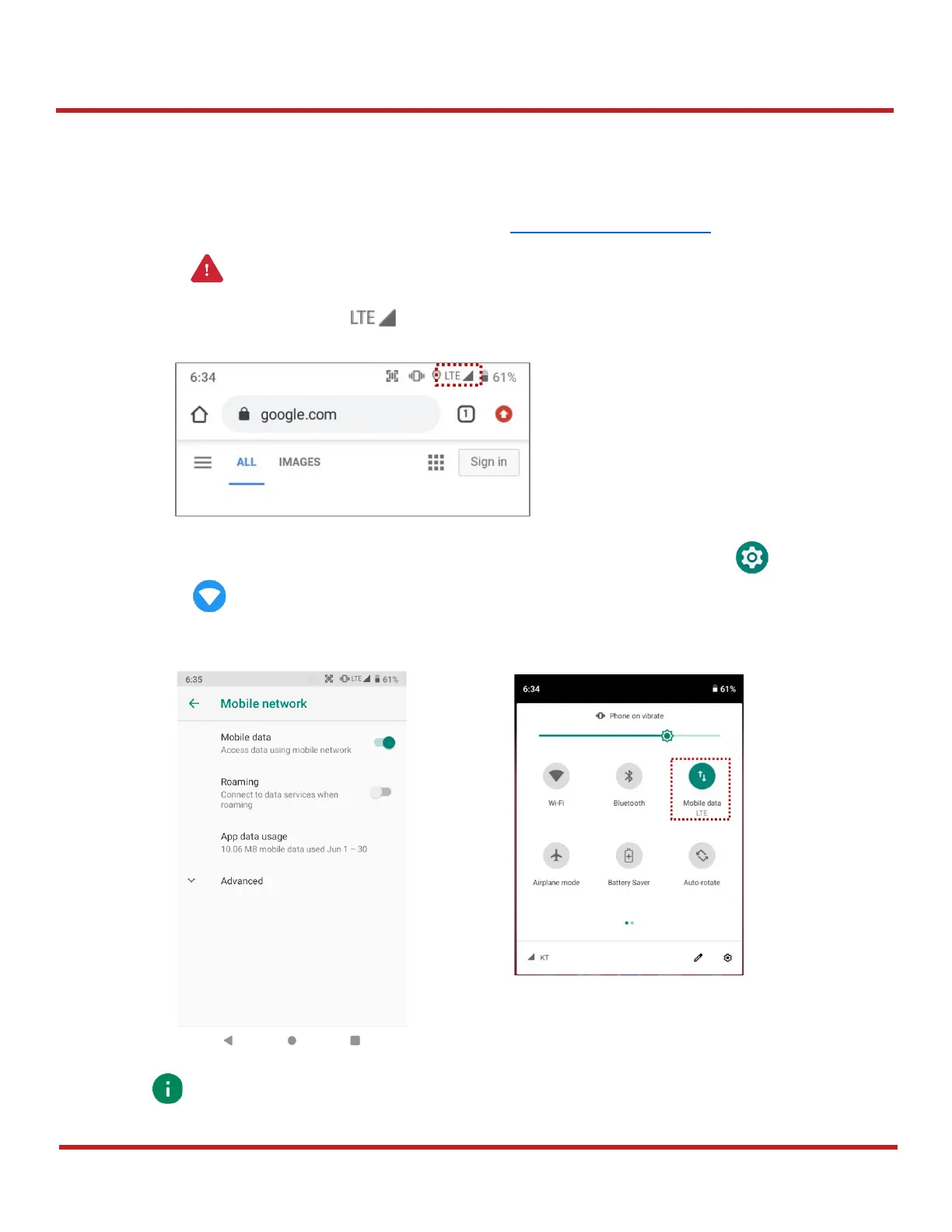
To connect Mobile network,
1. Insert a micro SIM card to SIM slot. Refer to Install SIM card & SD card
2. Check if the LTE icon( ) appeared on the status bar. Then, try to access the internet.
You can find the network information and adjust the network settings in
Settings
>
Network &
internet
>
Mobile network
. This setting menu can also be accessed by long-press the Mobile
data icon in Quick setting panel.


 To Next Page