PM451 Android 9.0 User Manual
33
© 2006 – 2020 POINTMOBILE Co., Ltd. All rights reserved
Scanner
Turn on the Scanner
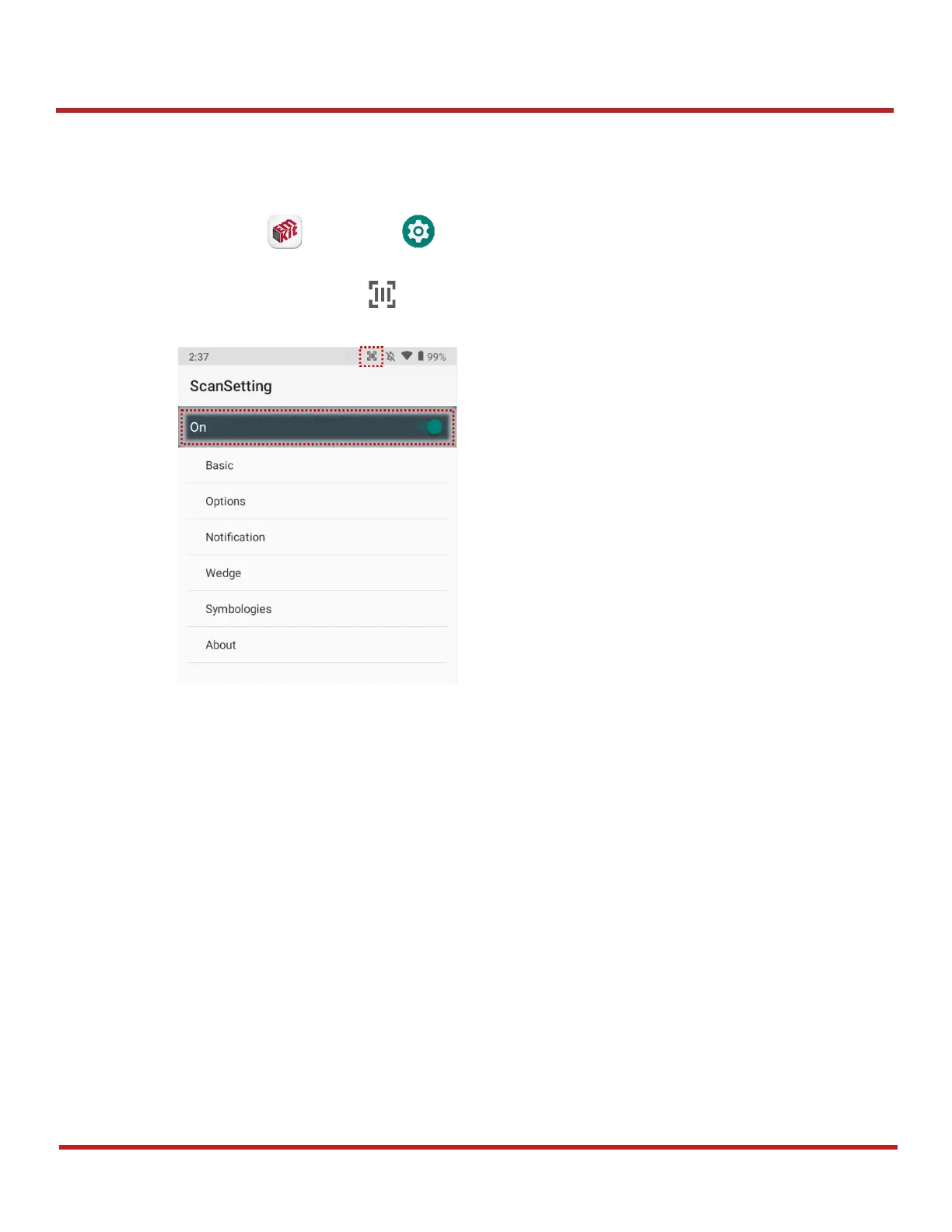
The scanner is disabled by default. If you want to enable the scanner, follow the steps.
1. Go to
EmKit
or
Settings
and tap
ScanSetting
2. Tap toggle button to turn on/off the barcode scanner
3. Check if the scanner icon( ) is placed on
Status bar
.
ScanSettings
If you turn on the scanner, scanner setting menus will be displayed.
ScanSetting
consists of
Basic
Options
Notification
Wedge
Symbologies
About


 To Next Page