PM451 Android 9.0 User Manual
31
© 2006 – 2020 POINTMOBILE Co., Ltd. All rights reserved
Learning the basics
Use Keyboard Backlight
The buttons in the keypad may not be visible in the dark. For this inconvenience, PM451 have
keyboard backlight so that you can find the proper keys easily.
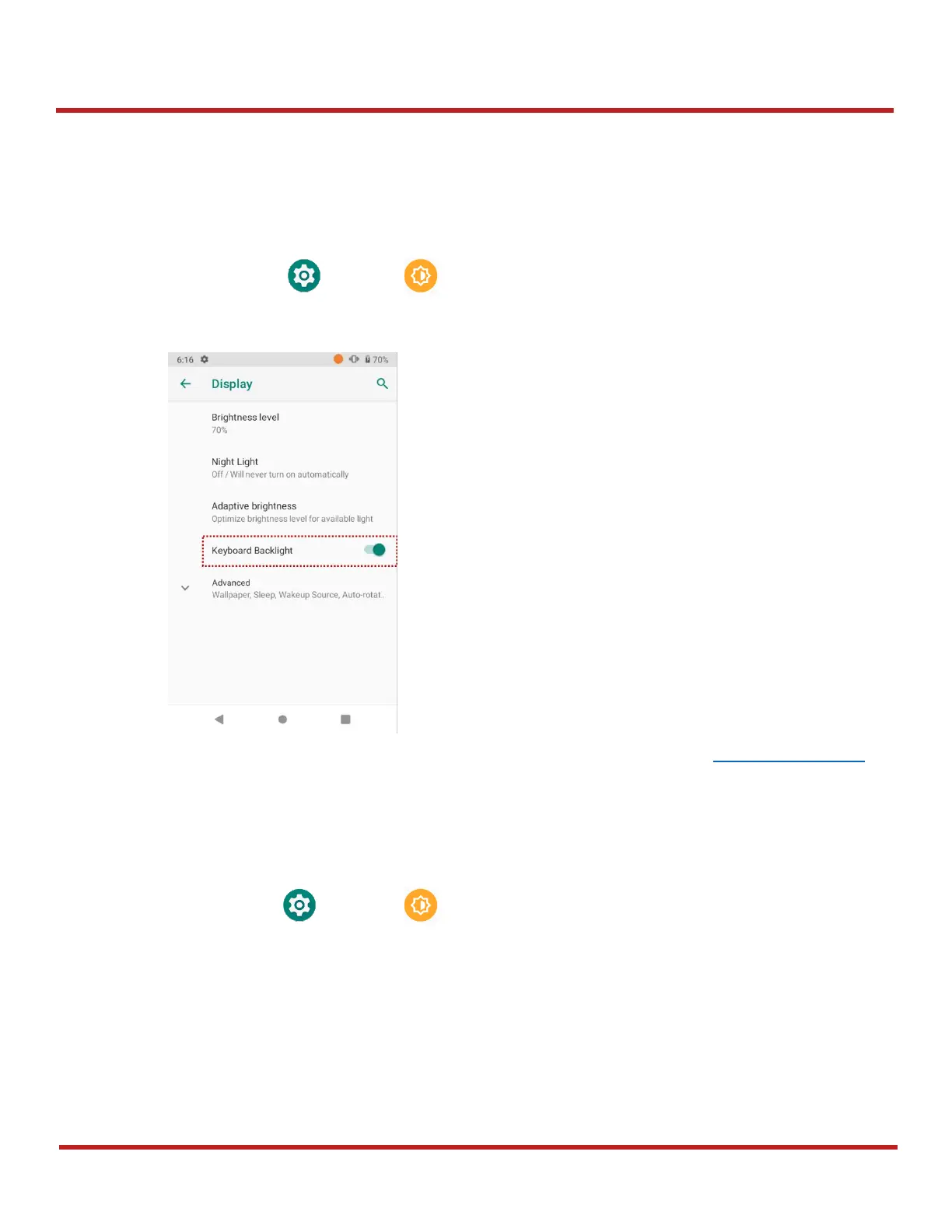
To use the keyboard backlight,
1. Go to
Settings
>
Display
2. Tap
Keyboard Backlight
toggle button
You can adjust the brightness of the keyboard backlight with the keypad. See Keypad – Functions.
Adjust Font Size
If the font size of the screen is too small or too large for you, you can set the size.
1. Go to
Settings
>
Display
2. Tap
Advanced
3. Tap
Font size
4. Referring to the
Preview
, set the font size.


 To Next Page