PM451 Android 9.0 User Manual
18
© 2006 – 2020 POINTMOBILE Co., Ltd. All rights reserved
Learning the basics
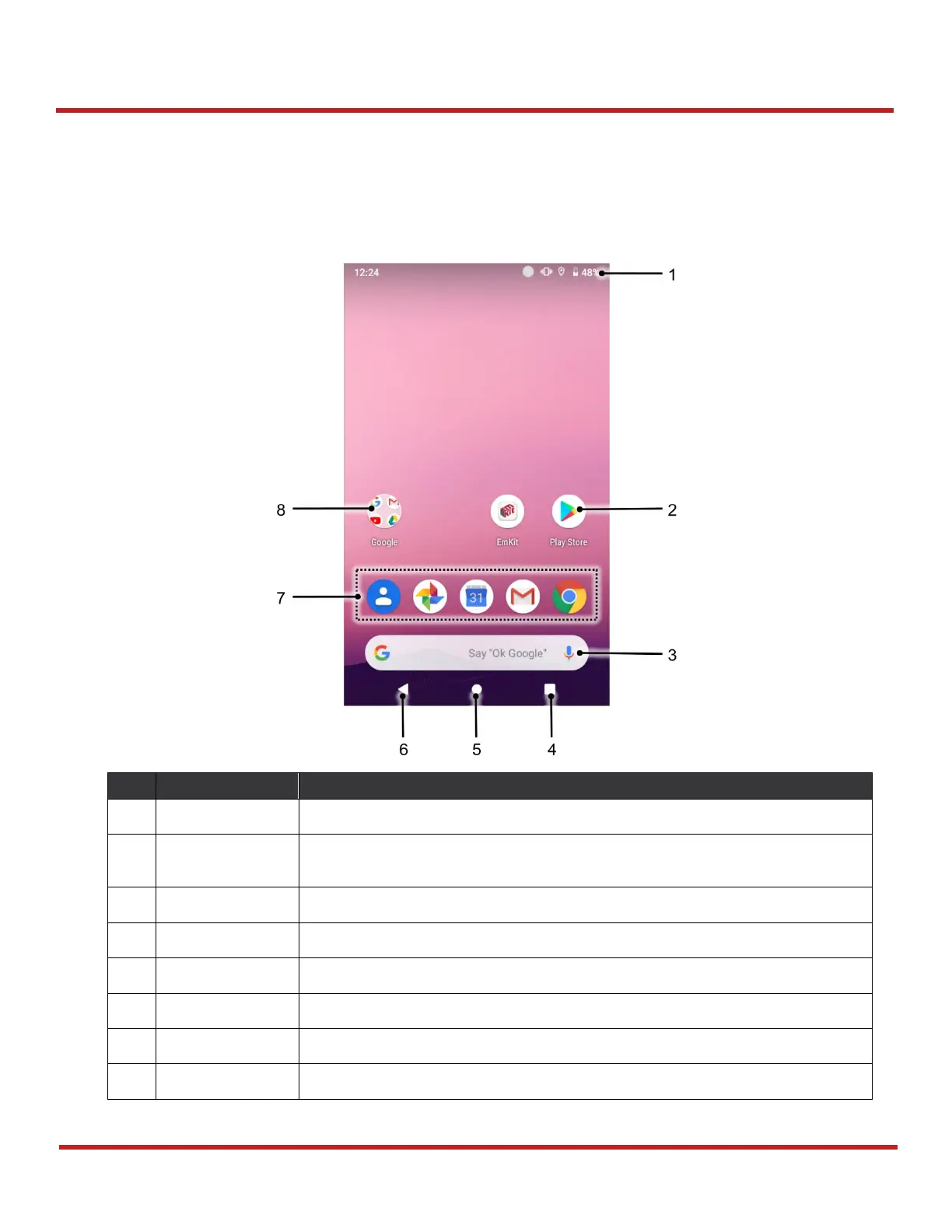
Home Screen
Home screen is a screen you can see when you complete the Setup wizard, press the
Home
button,
or unlock the screen.
Indicates device status and notification.
Tap to run the application
Long-press to see the application's options
Simply communicate with the applications on the Home screen
Tap to show recently used applications
Tap to go to the Home screen
Tap to go to the previous screen
Place the frequently used apps
Apps are organized in the folder. Tap to open the App folder


 To Next Page