PM451 Android 9.0 User Manual
49
© 2006 – 2020 POINTMOBILE Co., Ltd. All rights reserved
System Maintenance
4. Tap
OK
on the
OS Update
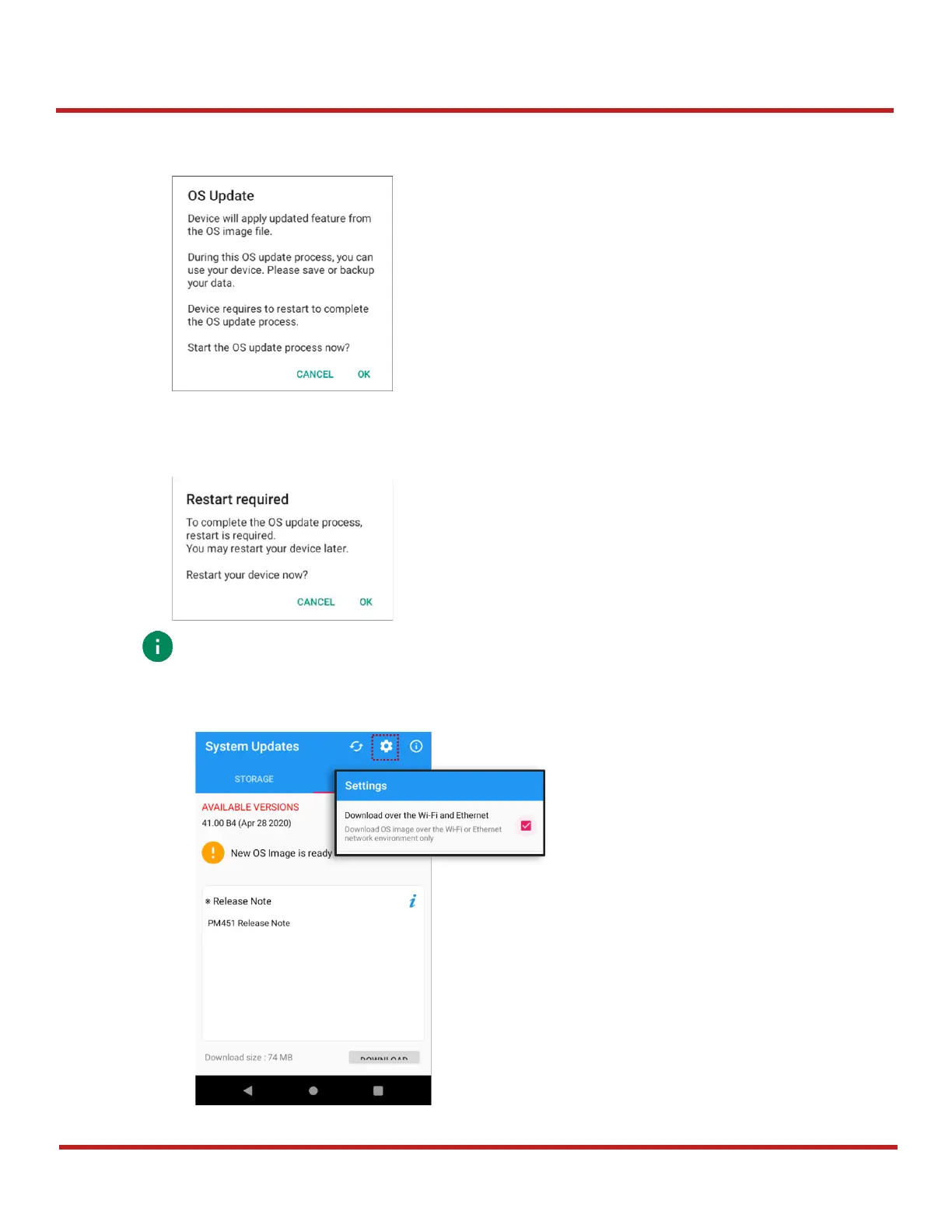
dialog to start to download the OS image file
5. When completing the download, you may restart the device. Tap
OK
on the
Restart required
dialog to restart the device.
Note:
Basically, you can download OS image file over Wi-Fi or Ethernet only. If you
want to download over Mobile Network too, change the setting value in FOTA Settings.
Downloading over the Mobile network may result in additional charges.
Figure 64 Restart required dialog
Figure 63 OS Update dialog


 To Next Page