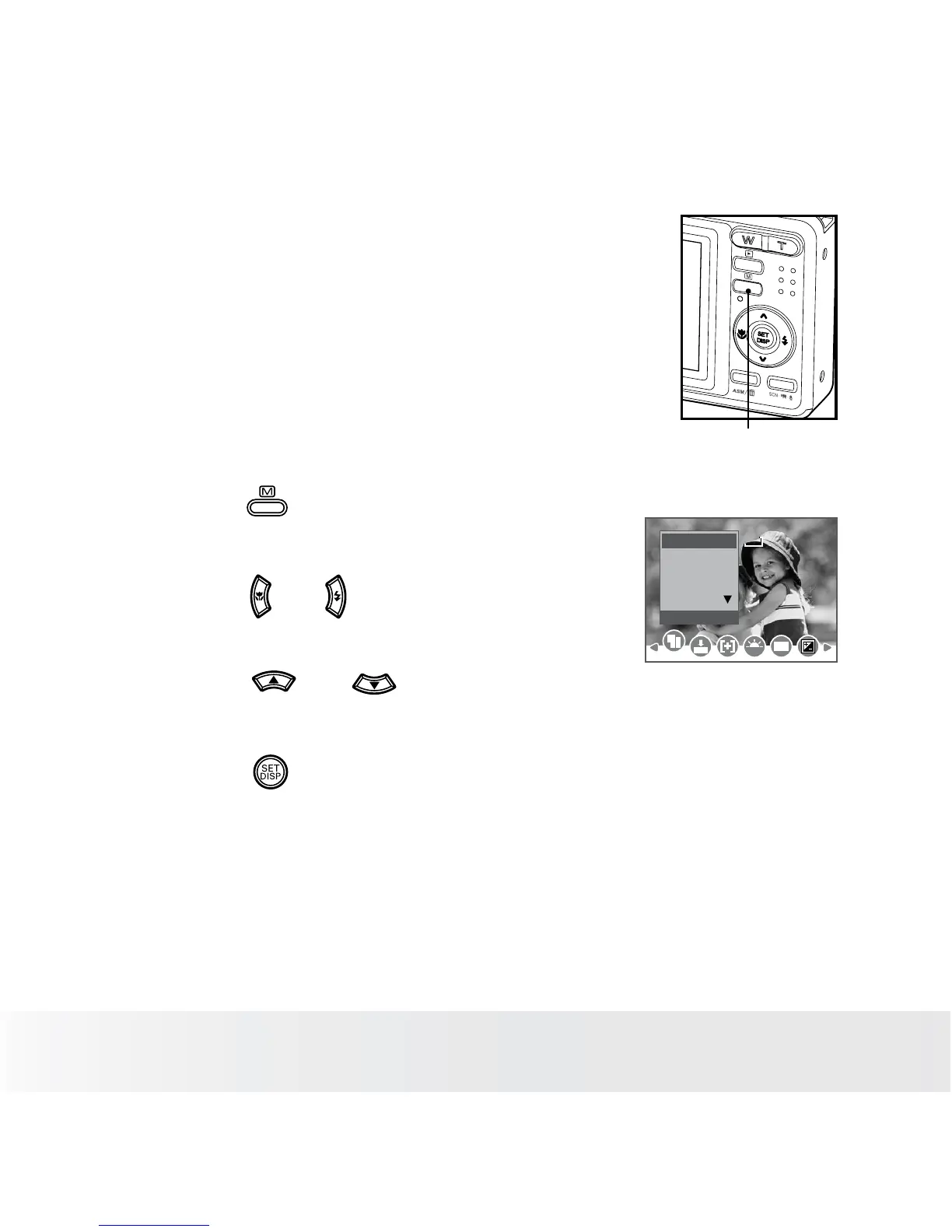
• How to Navigate Menus
Menus are used to select capture and play
settings, as well as other camera settings like the
Date/Time and Auto Power Off.
Menu button
1. Press the button to enter a menu bar and
press it again to exit.
2. Press the and buttons to scroll left and
right through the menu bar.
Resolution
3:2
16:9
7M8M
WB
ISO
8M
6M
4M
3. Press the and buttons to scroll up
and down through menu options.
4. Press the button to enter a submenu or
confirm your choice.













 To Next Page