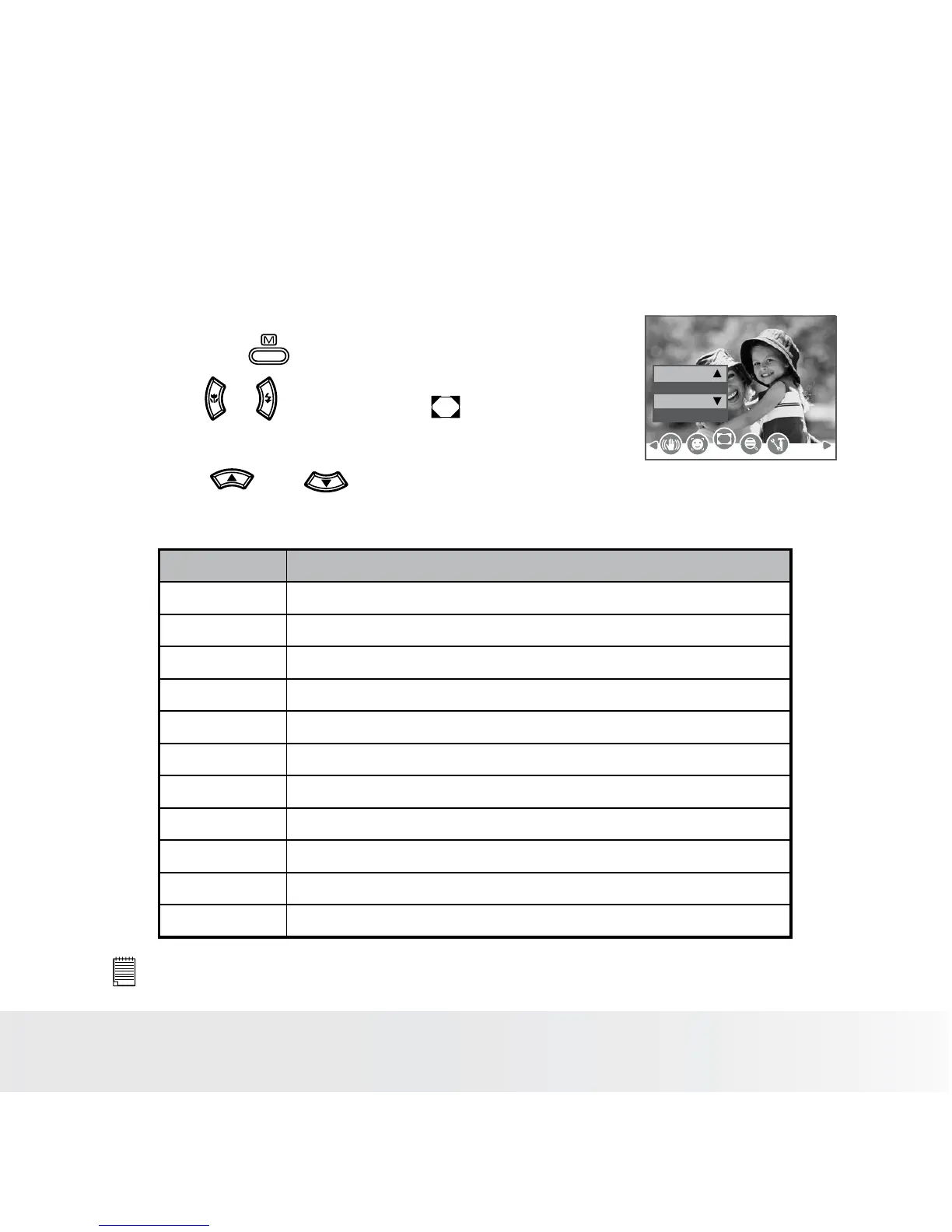
• Setting Photo Frame
You can add 10 kinds of frames to still images, making them more
interesting.
1. Set the camera to Still Image mode.
2. Press the button.
3. Press or button to select (Photo
Frame).
Off
Photo Frame
4. Press and button to select the
desired setting.
Option Description
Off Taking pictures without Photo Frame
Frame 1 Little Animals
Frame 2 Pirate
Frame 3 Little Flower
Frame 4 My Baby
Frame 5 Christmas
Frame 6 OSCAR
Frame 7 Benthal Castle
Frame 8 Calendar
Frame 9 Surng
Frame 10 Sleeping Baby
NOTE:
• This feature only available with still images (except 3:2 and 16:9).




 To Next Page