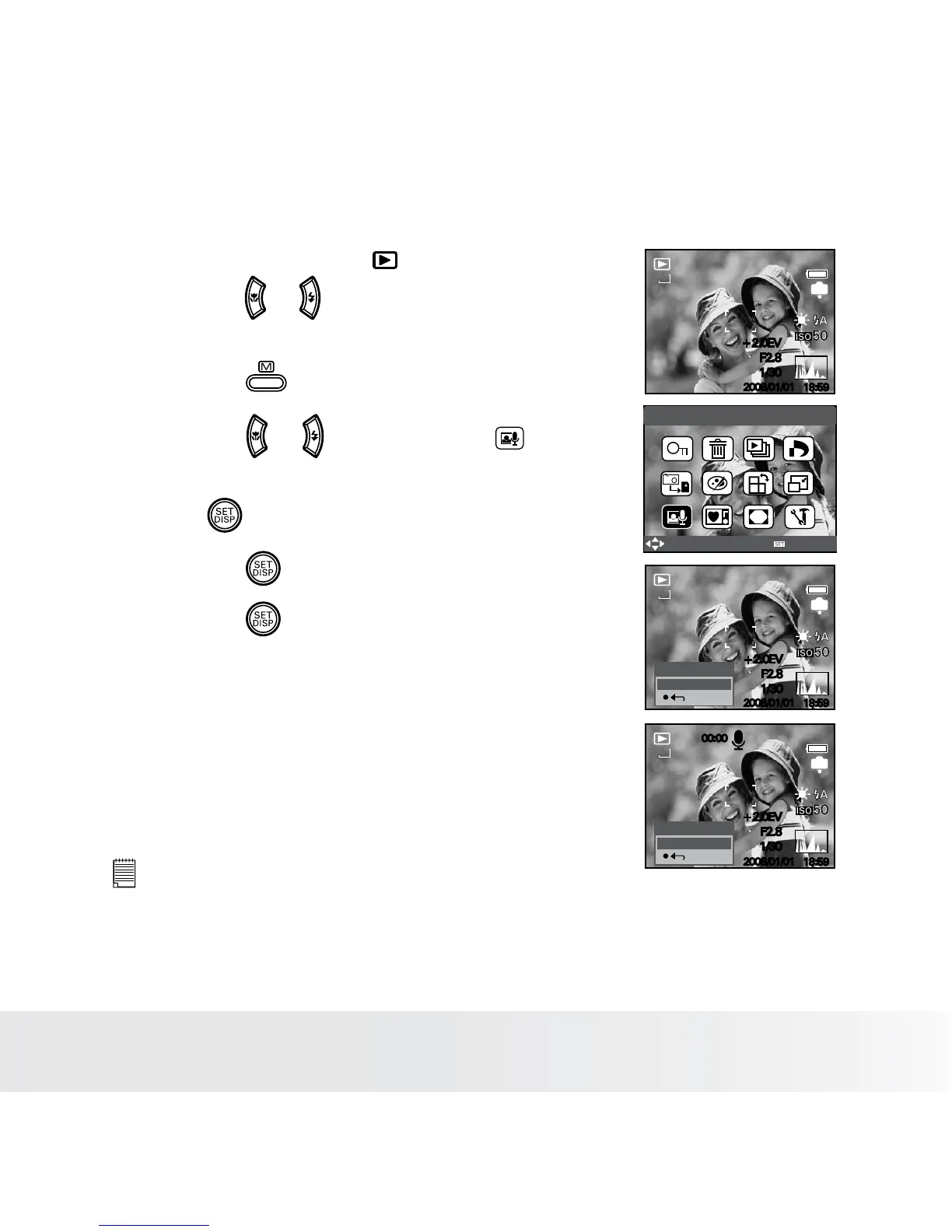
• Recording a Voice Memo for the Desired Image
1. Set the camera to the Playback mode.
2. Press the or button to select the desired
image where you want to add a voice memo.
5/150
IN
2008/01/01
18:59
8M
+2.0EV
F2.8
1/30
Voice Memo
Select
OK
5/150
IN
2008/01/01
18:59
8M
REC voice?
Start
+2.0EV
F2.8
1/30
5/150
IN
2008/01/01
18:59
8M
REC voice?
Stop
00:00
+2.0EV
F2.8
1/30
3. Press the button.
4. Press the or button to select “Voice
Memo”.
5. Press button.
6. Press the button to start recording.
7. Press the button again to stop recording.
NOTE:
•
The voice memo cannot be added to a video clip or a protected image.
• You can only delete the voice memo by deleting the image.
• A voice memo may not exceed 30 seconds.













 To Next Page