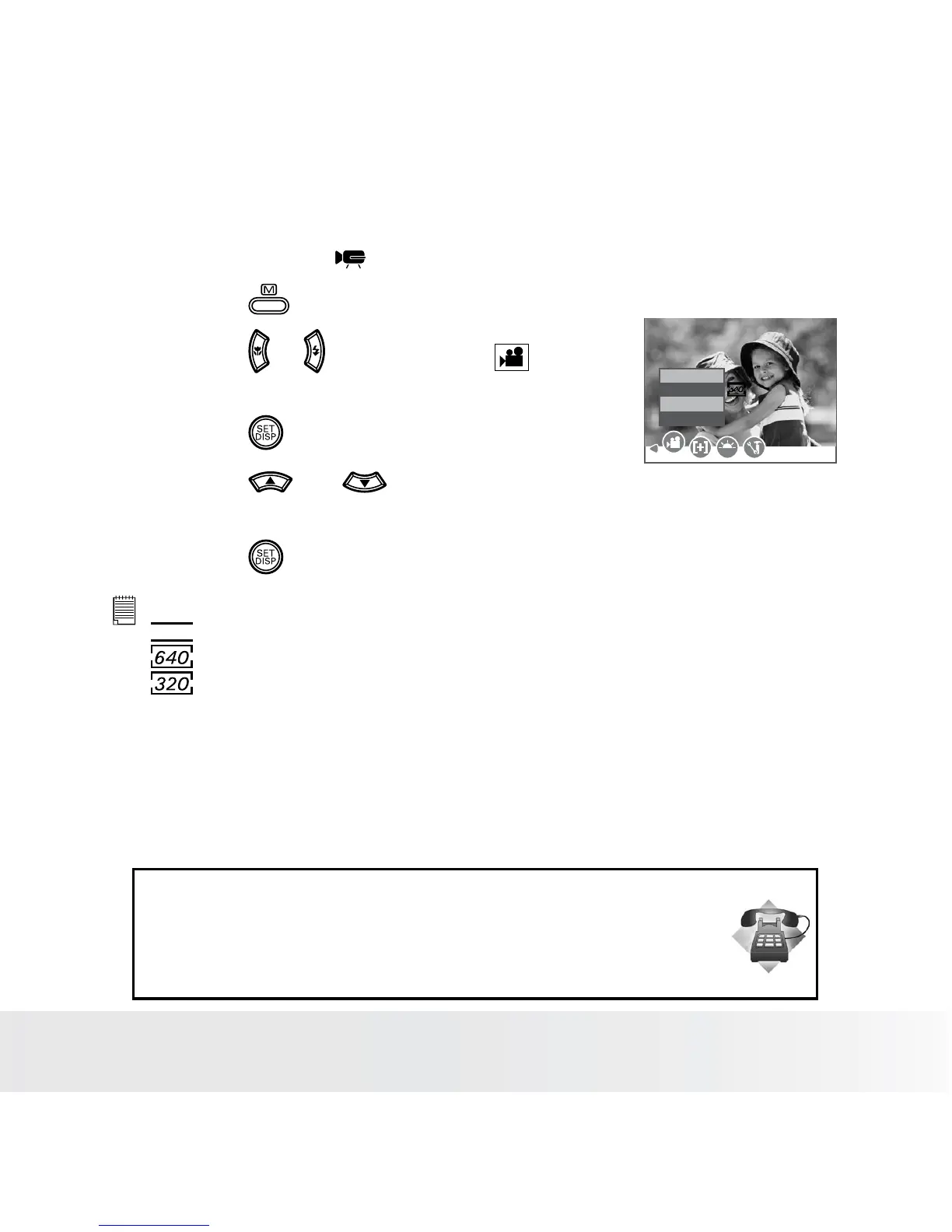
• Setting the Video Size
1. Set the camera to (Video mode).
2. Press the button.
3. Press the or button to select
(MOVIE SIZE).
4. Press the button.
Movie Size
16:9
640
320
WB
Movie Size
5. Press the and button to
select the desired setting.
6. Press the button.
NOTE:
16:9
is suitable for viewing on TV.
is the default value, suitable for viewing on TV.
is suitable for viewing on PC.
Need help with your digital camera?
Call our customer service help number. Look for the insert with this icon:
Or visit www.polaroid.com.













 To Next Page