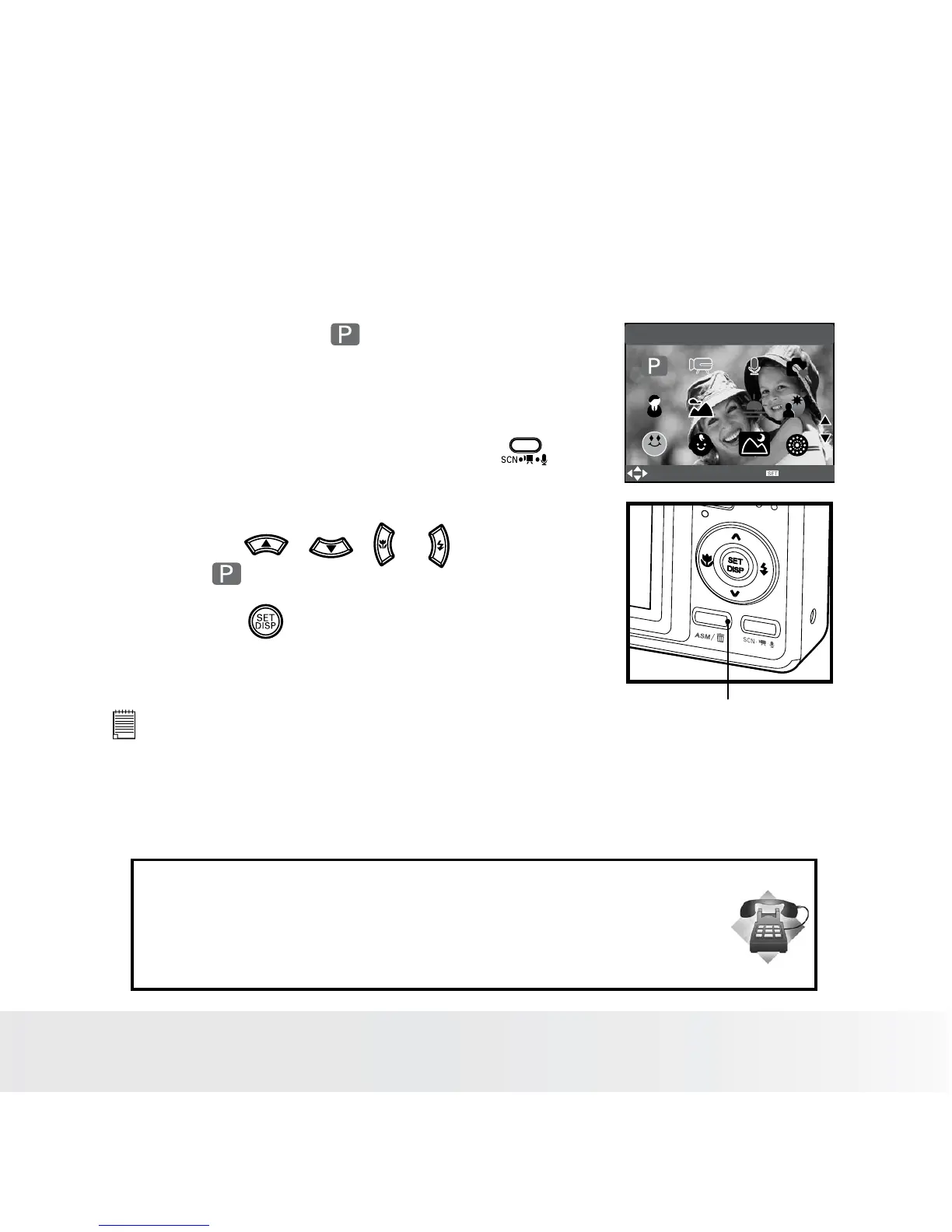
• Setting ASM Mode
Your camera is designed with a manual setting feature which allows you
to take pictures with aperture, shutter or manual exposure priority mode
according to different capture requirements.
1. Set the camera to (Program) mode.
2. Press the ASM button to select the ASM
mode.
3. To exit the ASM Mode, press the
button to show the scene shooting mode
screen.
4. Press the , , or button to
select (Program).
5. Press the button.
PROGRAM
SELECT
OK
ASM Mode
NOTE:
•
ASM Mode can be used in all scene shooting modes.
Need help with your digital camera?
Call our toll-free customer service number. Look for the insert with this icon:
Or visit www.polaroid.com.













 To Next Page