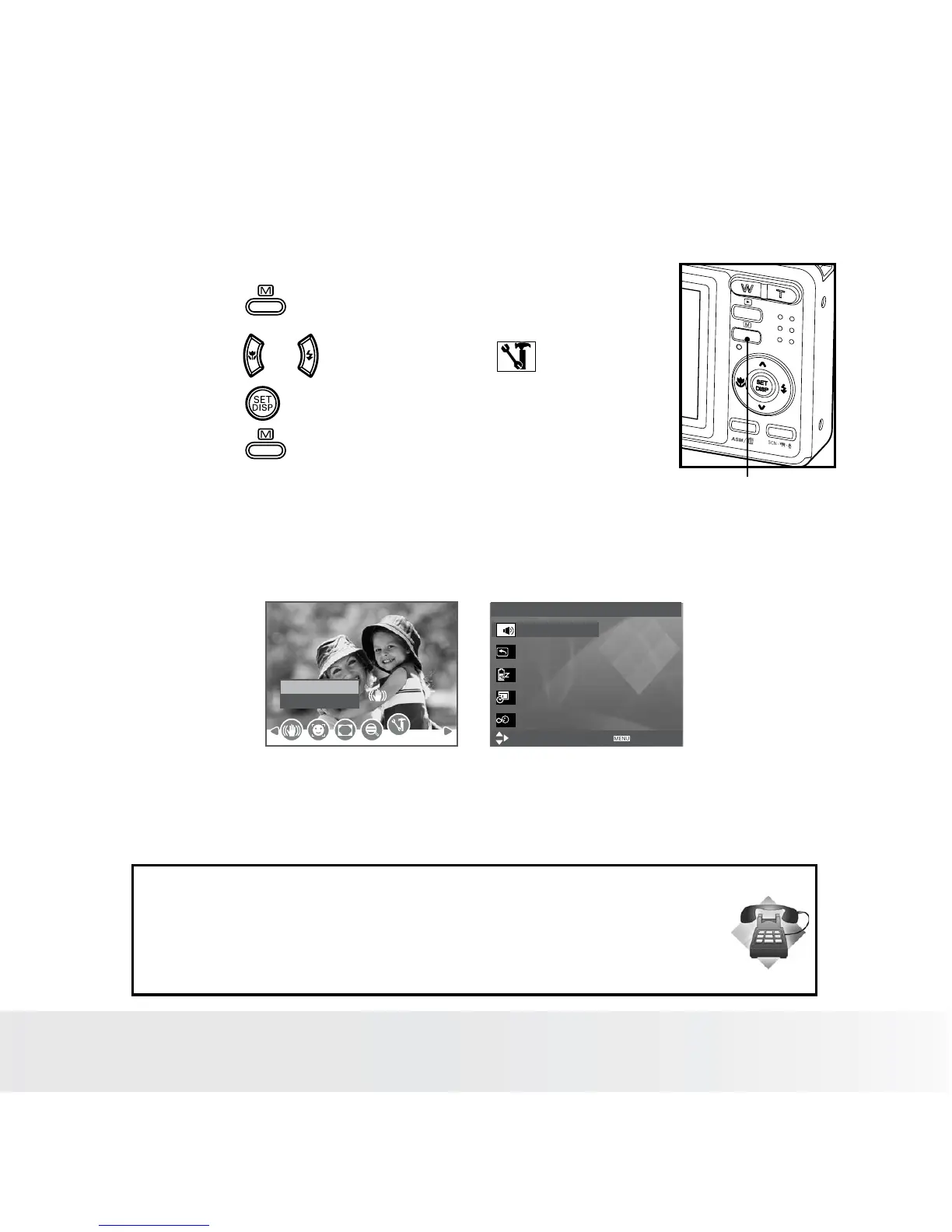
• Setup Menu
You can change the basic settings of the camera in Capture mode and
Playback mode.
1. Press the button.
2. Press the or button to choose (Setup).
3. Press the button to enter the setup menu.
Menu button
4. Press the button to exit the setup menu.
SETUP MENU 1/3
Select
Exit
Sounds
Auto Review 3 Sec.
Power Save 1 Min.
Date & Time
Language English
Setup
Enter
Need help with your digital camera?
Call our customer service help number. Look for the insert with this icon:
Or visit www.polaroid.com.













 To Next Page