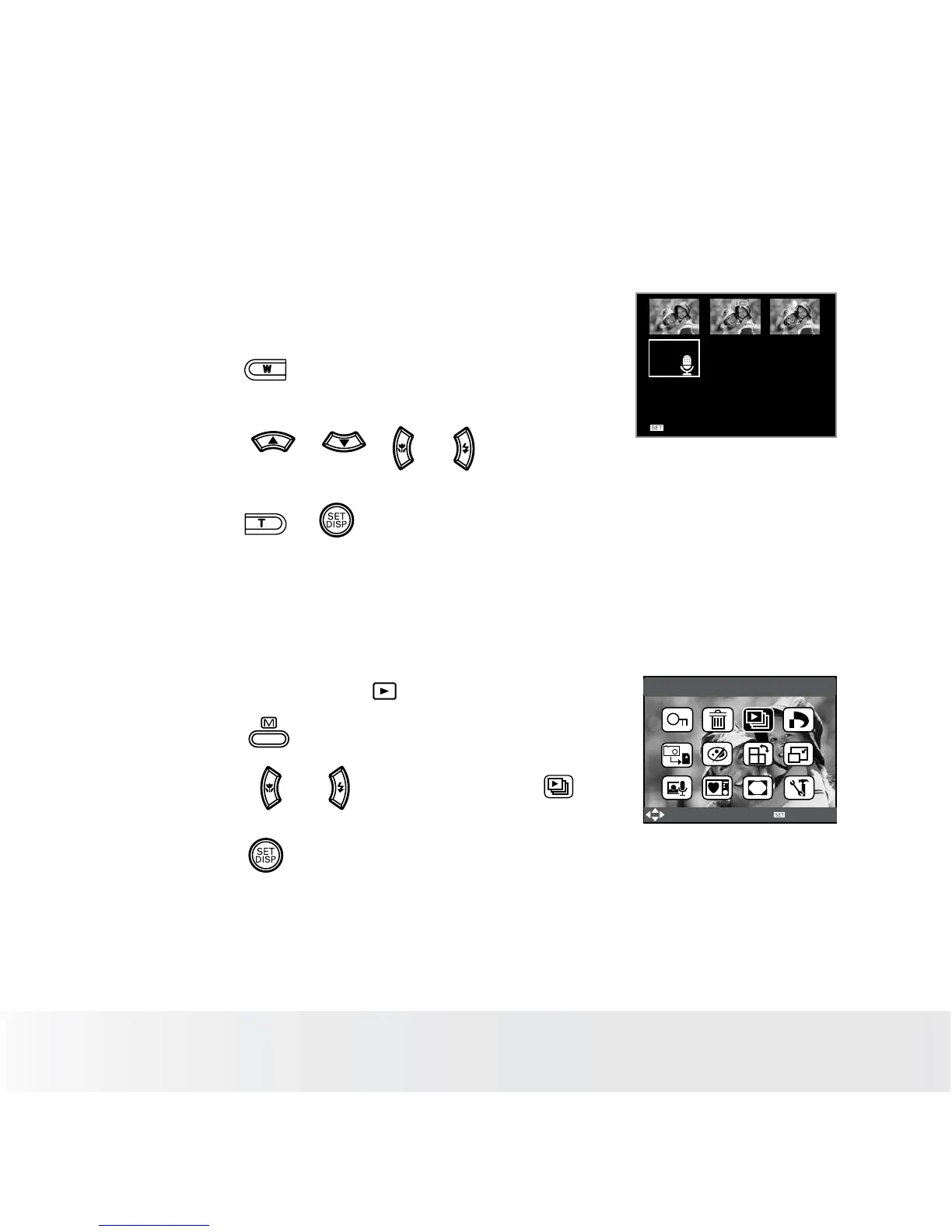
• Reviewing Pictures and Video Clip Files in Thumbnail
You can view up to 9 picture and video clip files at a time on the LCD
screen by using the thumbnail function.
Full screen
1. Set the camera to the Playback mode.
2. Press the button and up to 9 thumbnail
files appear on the LCD screen.
3. Press the , , or button to
select a thumbnail file.
4. Press the or button to view the file
in full screen.
• Running a Slide Show on the LCD screen
The slide show function lets you view all the pictures and video clip files
stored in the current memory in sequence on the LCD screen.
1. Set the camera to the
Playback mode.
Slide Show
Select
OK
2. Press the button.
3. Press the or button to select
“SLIDE SHOW”.
4. Press the button.













 To Next Page