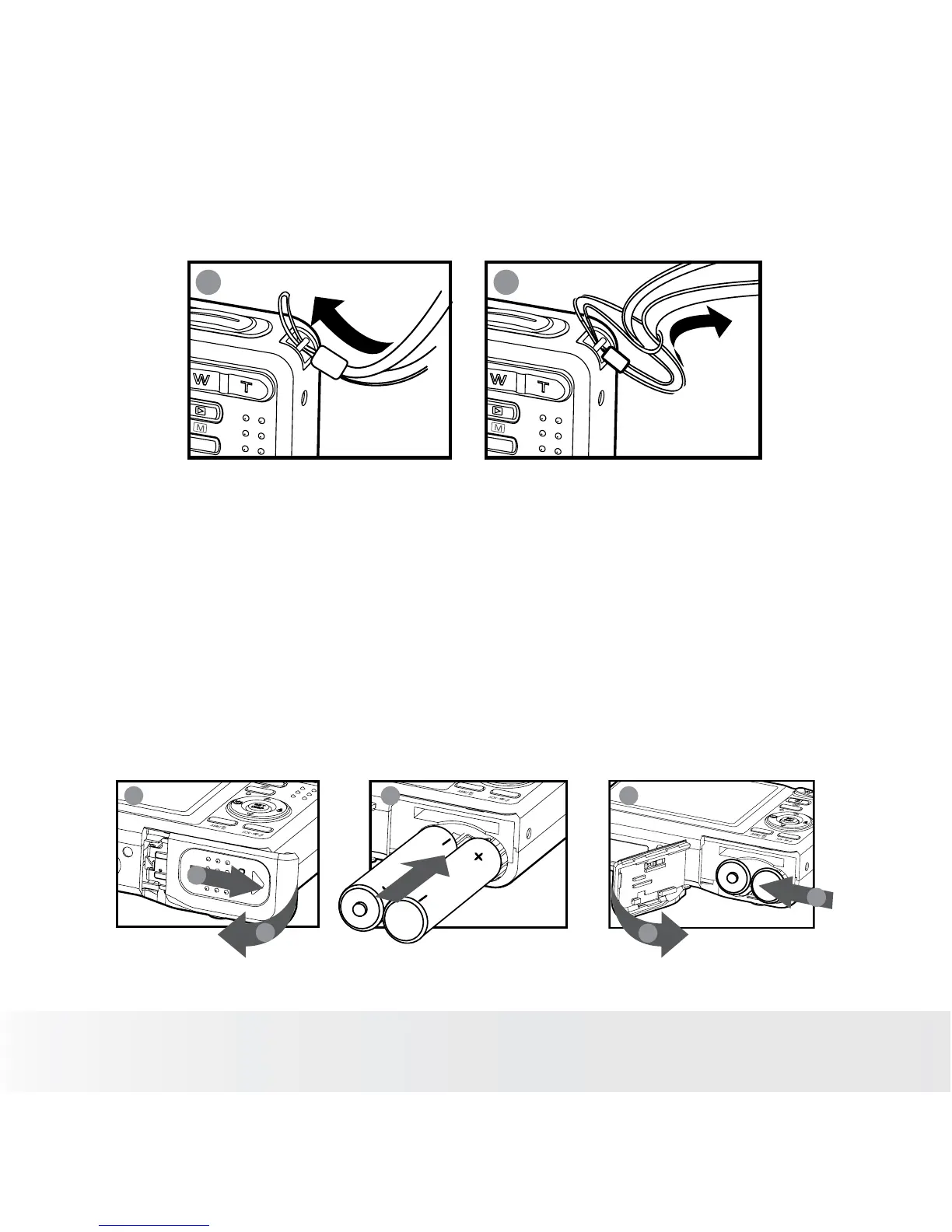
• Attaching the Wrist Strap
1
2
• Installing the Batteries
Two AA-size batteries are supplied with the product. For a detailed guideline
on battery usage, please see “Using Your Batteries” on page 9.
1. Open the camera’s battery/SD card door by pushing it outwards as
illustrated.
2. Insert the batteries as shown, ensuring you follow the +/- signs
correctly.
3. Close the battery/SD card door by pressing it downwards and then
sliding it towards the camera to lock.
a
b
1 2 3
a
b













 To Next Page