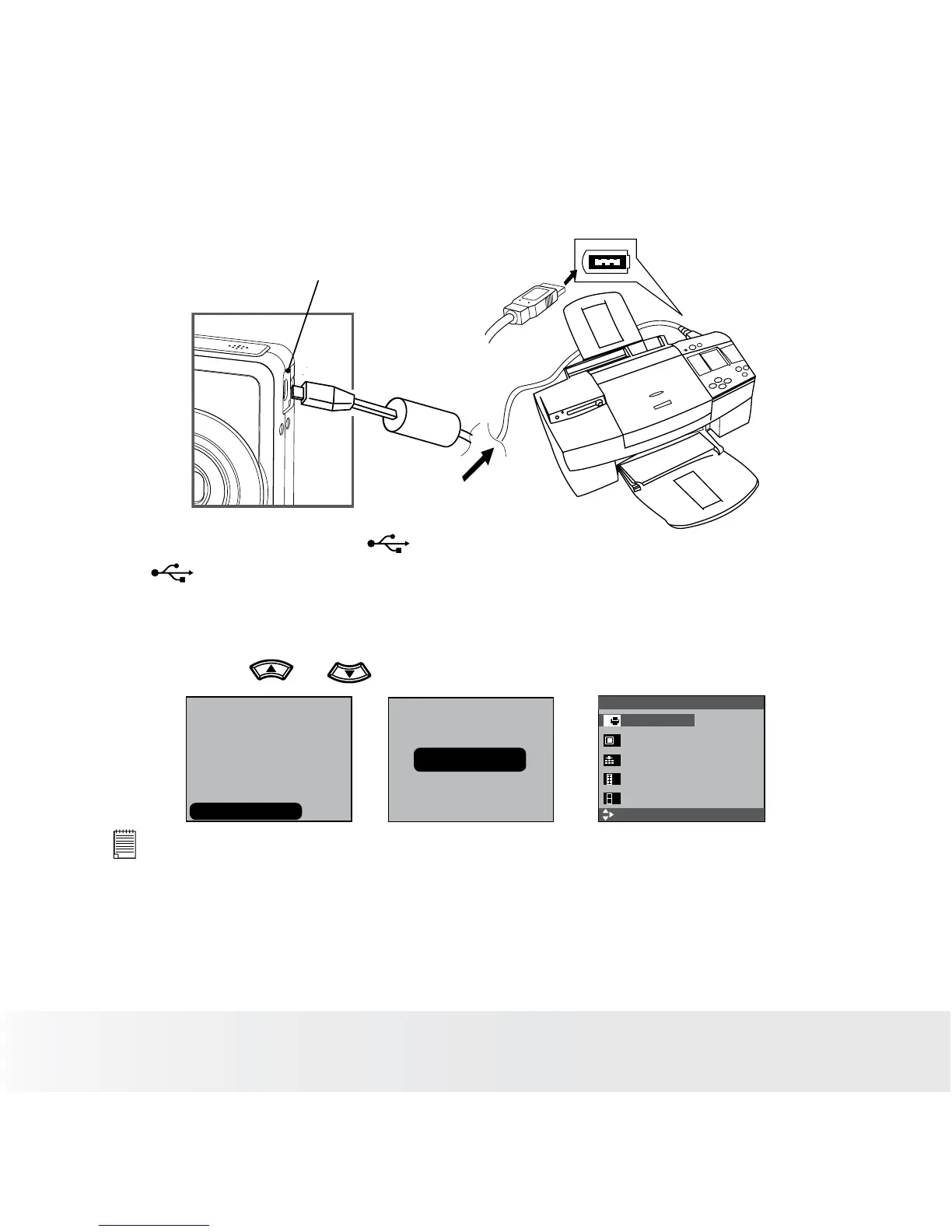
Camera / Printer Connection
Connecting with the USB Cable.
USB port
To Printer
1. Plug the labeled end of the USB cable into the socket marked
on your printer. Location of USB socket will vary from printer to
printer.
2. Plug the other end of the USB cable into the USB port on your
camera.
3. Press the or to select “Printer”.
SELECT
Pictbridge Menu 1/2
Select
Print Standard
Image Single
Quality Auto
Layout Auto
Paper Size Auto
CONNECTING......
USB
Computer
Printer
NOTE:
• “CONNECTING” displays on the LCD screen, indicating a proper connection to
the printer.
• You can also connect the Polaroid PoGo™ Instant Mobile Printer to this
camera using the USB cable. Follow the simple steps on your camera display
to print your pictures.













 To Next Page