• Deleting Files
The Delete function lets you remove unwanted files in the internal memory
or on the memory card.
NOTE:
Protected files can not be deleted. Make sure the file is not protected before
proceeding. To unprotect a file, see “To unprotect files” on page 71. If the camera is
in thumbnail mode, touching > displays delete multiple interface.
To delete a file
1. View image/video/voice recording file you
want to delete on the LCD screen.
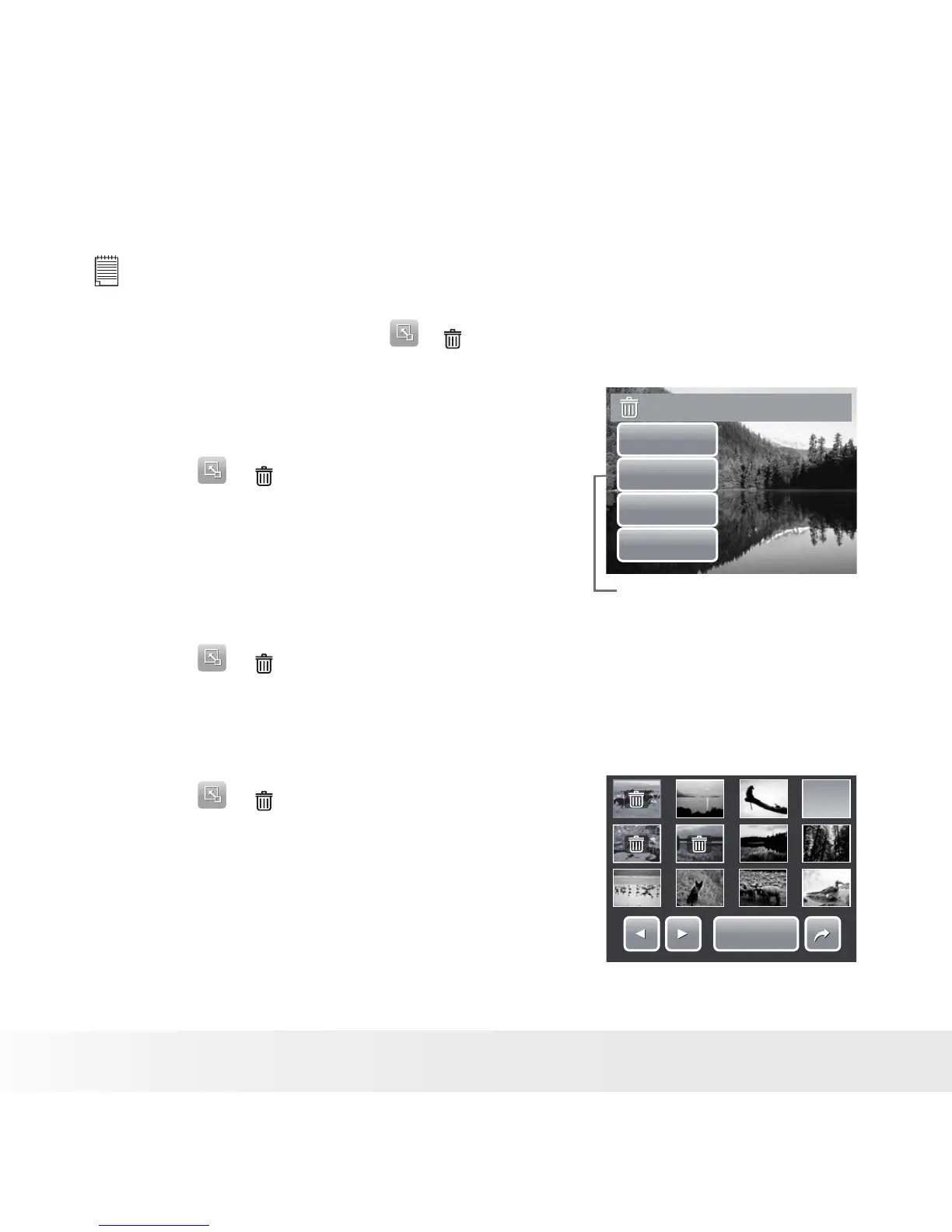
2. Touch > . See picture on the right.
3. To delete currently viewed file, touch Yes.
Delete this file?
Ye s
Vo ice only
Select
All
Voice only icon is enabled only
when viewed image has a voice
memo attached.
To delete a voice memo
1. View the image file with voice memo attached
on the LCD screen.
2. Touch > .
3. To delete the voice memo only, touch Voice
only.
To delete multiple files
1. Touch > .
2. Touch Select. The LCD screen displays files
in thumbnail view.
3. Touch a thumbnail to mark file for deletion. The
recycle bin icon appears on the thumbnail.
4. Touch Delete to delete marked files.
5. Select Yes to confirm delete.
Delete
Delete



 To Next Page
 Loading...








