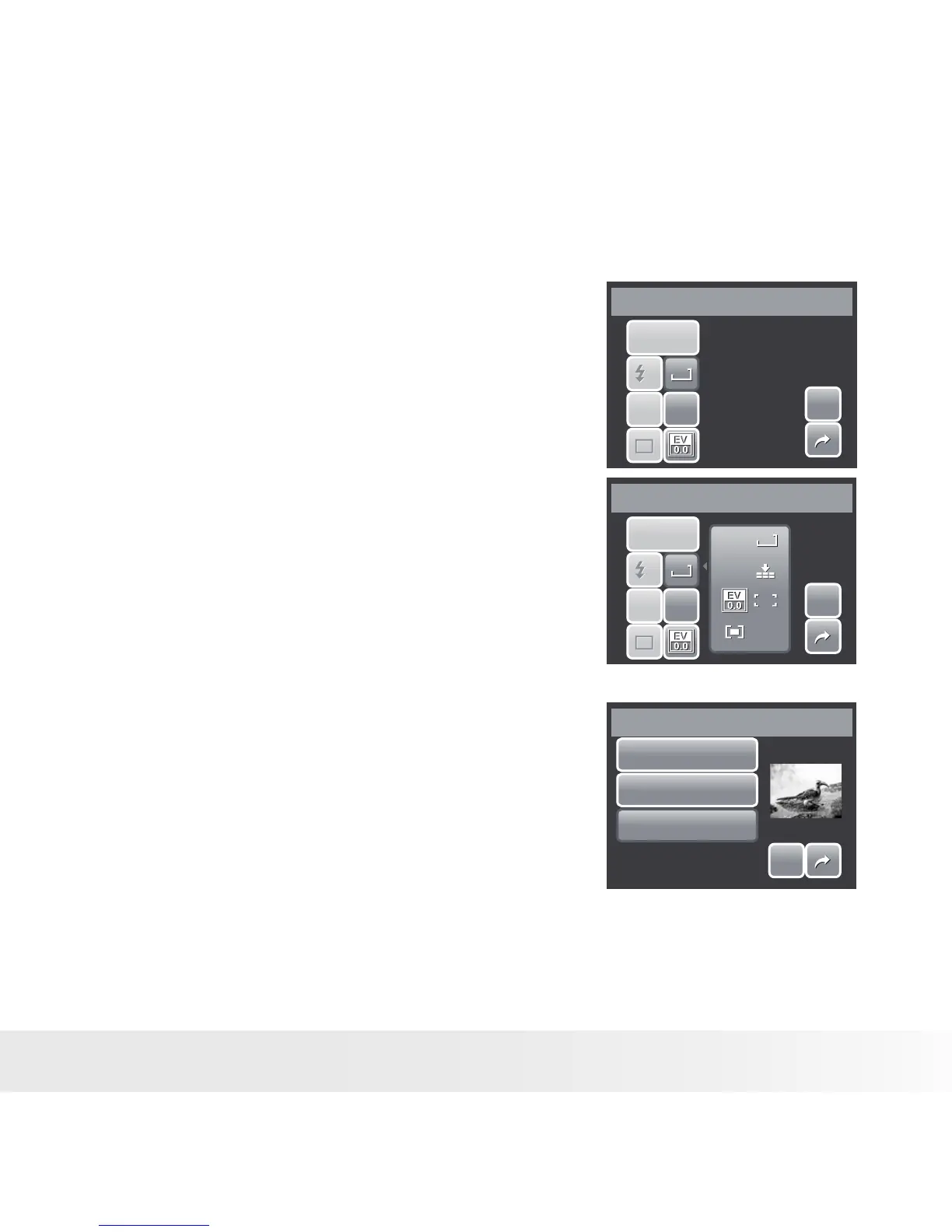
The Hot Key function is available only in snapshot
mode. This function allows you to define the three
shortcut icons on the Snapshot Mode Quick-Set
Bar.
1. From the Settings menu, touch Hot Key. The
Hot key interface appears.
Hot Key
SET
SET
VG A
VG A
ISO
AU TO
ISO
AU TO
AF
AF
A
A
1
1
P
P
2. Touch an icon on the Quick-Set Bar to replace.
A pop up selection appears.
3. Touch desired submenu.
4. To replace other icons, repeat steps 2-3.
5. Touch SET to save and apply changes.
Hot Key
SET
SET
VGA
VGA
VGA
VGA
ISO
AUTO
ISO
AUTO
ISO
AUTO
ISO
AUTO
AF
AF
A
A
1
1
P
P
AW B
AW B
• Setting Startup Image
The Startup Image function allows you to setup a
startup image when you turn on your camera.
SET
SET
Off
System
My Photo
Startup Image
1. From the Setting menu, touch Startup Image.
The menu selection appears.
2. Touch to select option:



 To Next Page
 Loading...








