Hooking up a Laptop
Quick Reference Guide
Turn the power on the laptop.
Connect the VGA cable from the
videoconference system to the laptop.
1
2
Press the same keys you would use
when displaying your desktop through
a projector, usually one of the following
combinations: Fn+F4 (or) Fn+F7 (or)
Fn+F8.
3
To display the desktop:
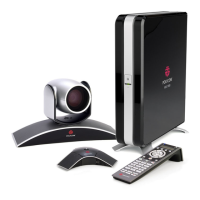
• Polycom: press the silver
“Content” button.
• Tandberg: press the blue
“Presentation” button.
To return to the camera view:
• Polycom: press the silver
“Content” button again.
• Tandberg: press the blue
“Presentation” button again.
5
4
TROUBLESHOOTING
If the desktop still does not
appear on the screen, you need
to change the resolution of your
computer. Select 1024 X 768
for the best results.
BEST PRACTICE
Make sure to switch between the
desktop and camera view for more
interactive presentations.
Polycom Tandberg
OTN SERVICE DESK 1-866-454-6861





 To Next Page