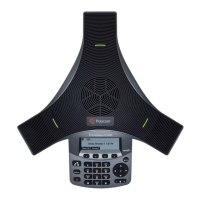
User Guide for the Polycom
®
SoundStation
®
IP 5000 Phone
55
Power and Startup
Controls
Symptom Problem Corrective Action
The display shows Network Link
is Down.
The network cable isn’t properly
connected.
Try the following:
• Check the cable termination at the
switch or hub (furthest end of the
cable from the phone).
• Check that the switch or hub is
operational (flashing link/status
lights).
• Verify that the LAN port is active.
Press , and then select Status >
Network > Ethernet. From the
Ethernet screen, scroll to LAN port
and verify that it’s Active.
Symptom Problem Corrective Action
The dial pad doesn’t work. The dial pad on the phone
doesn’t respond.
Try the following:
• Check for a response from other
feature keys or from the dial pad.
• Place a call to the phone from a known
working telephone. Check for display
updates.
• Check if the LAN port is active.
Press , and then select Status >
Network > Ethernet. From the
Ethernet screen, scroll to LAN port
and verify that it’s Active.
• Check the termination at the switch or
hub end of the network LAN cable.
Ensure that the switch/hub port is
operational (if it isn’t accessible,
contact your system administrator).
• Restart the phone (see Overall
Functioning on page 57).
(Before restarting your phone, contact
your system administrator. Your
system administrator may want to
troubleshoot the phone in more detail
before restarting the phone and
losing current status information.)











 To Next Page