1
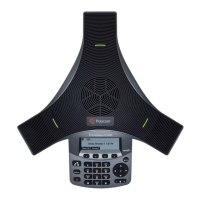
User Guide for the Polycom
®
SoundStation
®
IP 5000 Phone
This guide includes overview information that you may find helpful when
you’re just starting to learn about your Polycom® SoundStation® IP 5000
phone or when you have experience, but you need a quick refresher.
Changes to This Guide
This user guide has been updated to include new information and features.
The following sections have been added to this edition:
• Configuring Your Phone Using the Polycom Web Configuration Utility on
page 8
• Using Voice Mail on page 21
• Using Instant Messaging on page 21
• Using Buddy Lists on page 31
• Accessing Personal Phone Settings with User Profiles on page 34
• Locking the Phone on page 37
• Broadcasting Messages Using Push-to-Talk and Group Paging on page 39
• Integrating with Microsoft Lync™ Server 2010 on page 48
• Investigating Phone Warnings on page 58
The following section has been updated:
• Updating the Backlight on page 53
Before You Use Your Phone
This section describes the phone’s features, the icons that display on the
screen, and how to navigate menus and enter data. It also provides a link to
helpful tips to use when you’re in a conference call.











 To Next Page