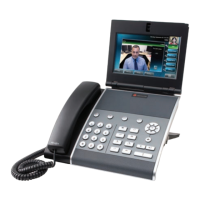
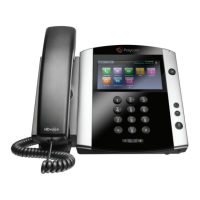
Quickstart Guide | Polycom VVX 1500 Series Quickstart Guide | Polycom VVX 1500 Series
3 8
Call Forward Options
Forward calls to another number:
• Dial *72 then enter the number of the destination
• To disable, dial *73
Forward calls, when busy, to another number:
• Dial *90 then enter the number of the destination
• To disable, dial *91
Forward unanswered calls to another number:
• Dial *92 then enter the number of the destination
• To disable, dial *93
Note: You will be notified by the voice prompt when each
function has completed successfully. If you have previously
entered a destination phone number for that call forward
type, you do not need to re-enter it each time the call forward
option is enabled.
Basic Phone Features
Place a call
• Using the handset: Enter the phone number by tapping the
touch screen or using the phone keypad, and then pick up the
handset.
• Using the speakerphone: With the handset on-hook, tap
the New Call soft key or a Line Key, and then enter the
phone number by tapping the touch screen or using the
phone keypad.
• Using the optional headset: With the headset connected,
press the Handset button, and then enter the phone number
by tapping the touch screen or using the phone keypad.
Answering a call
• Using the handset: Pick up the handset
• Using the speakerphone: Tap the Answer soft key or the
Line Key with the flashing green status indicator.
• Using the optional headset: Press the Headset button
Answering calls when you’re on another call
• If an incoming call arrives while you have an active call,
you will hear a call-waiting beep, and the incoming call is
displayed. To answer the new call, tap the Answer soft key.
The phone places the original call on hold.
Ending Calls
• To end a call, tap the End Call soft key.








 To Next Page