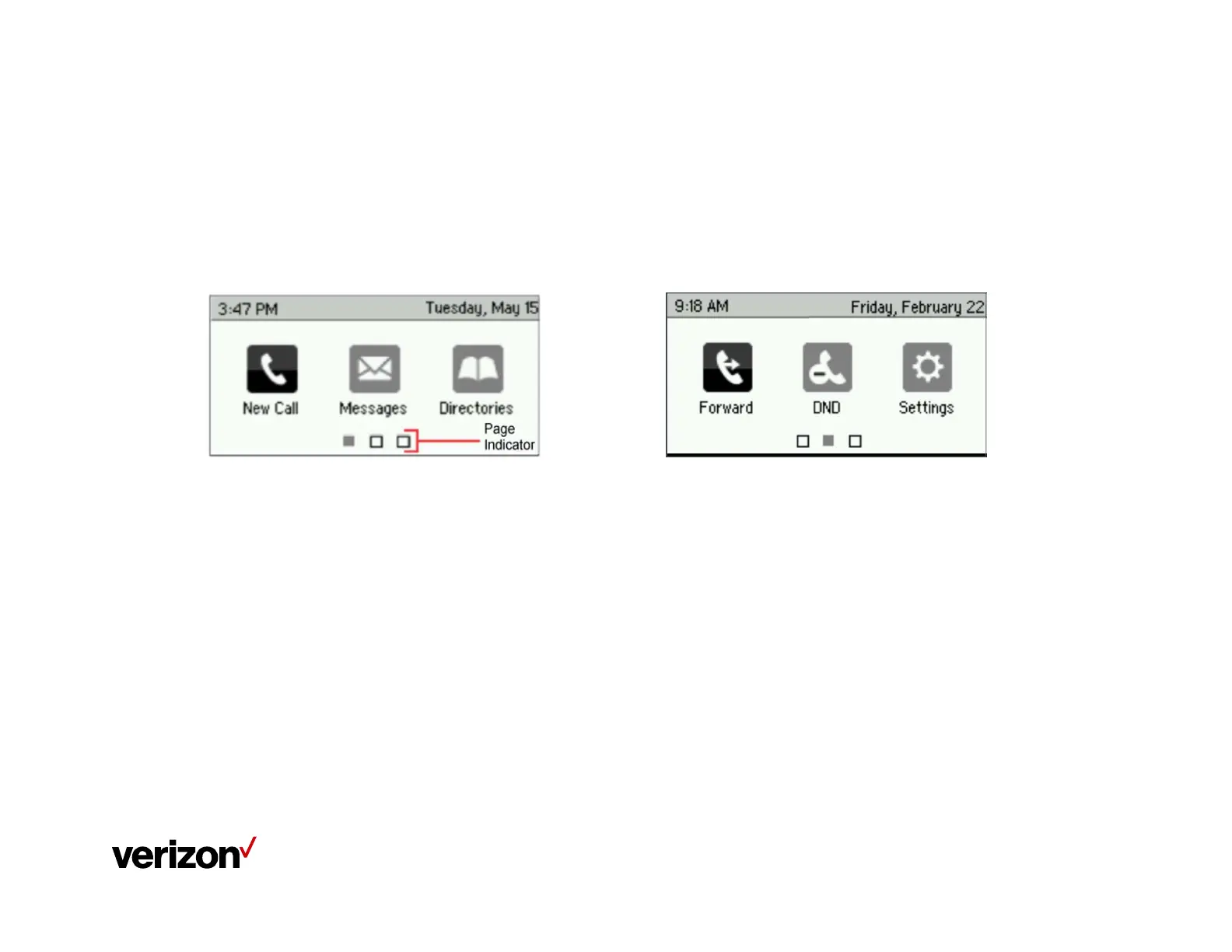
Polycom VVX 201 Phone Screen Views
The Home View
The Home view displays icons you can select to access phone functions. You can use the
right, left, up, and down arrows to display more icons.
At the bottom of Home view is a Page Indicator that shows how many pages of icons are
available
Icons on page 2 include - Forward, Do Not Disturb and Settings
Additional icons on page 3 can include – Applications and Calendar
















 To Next Page