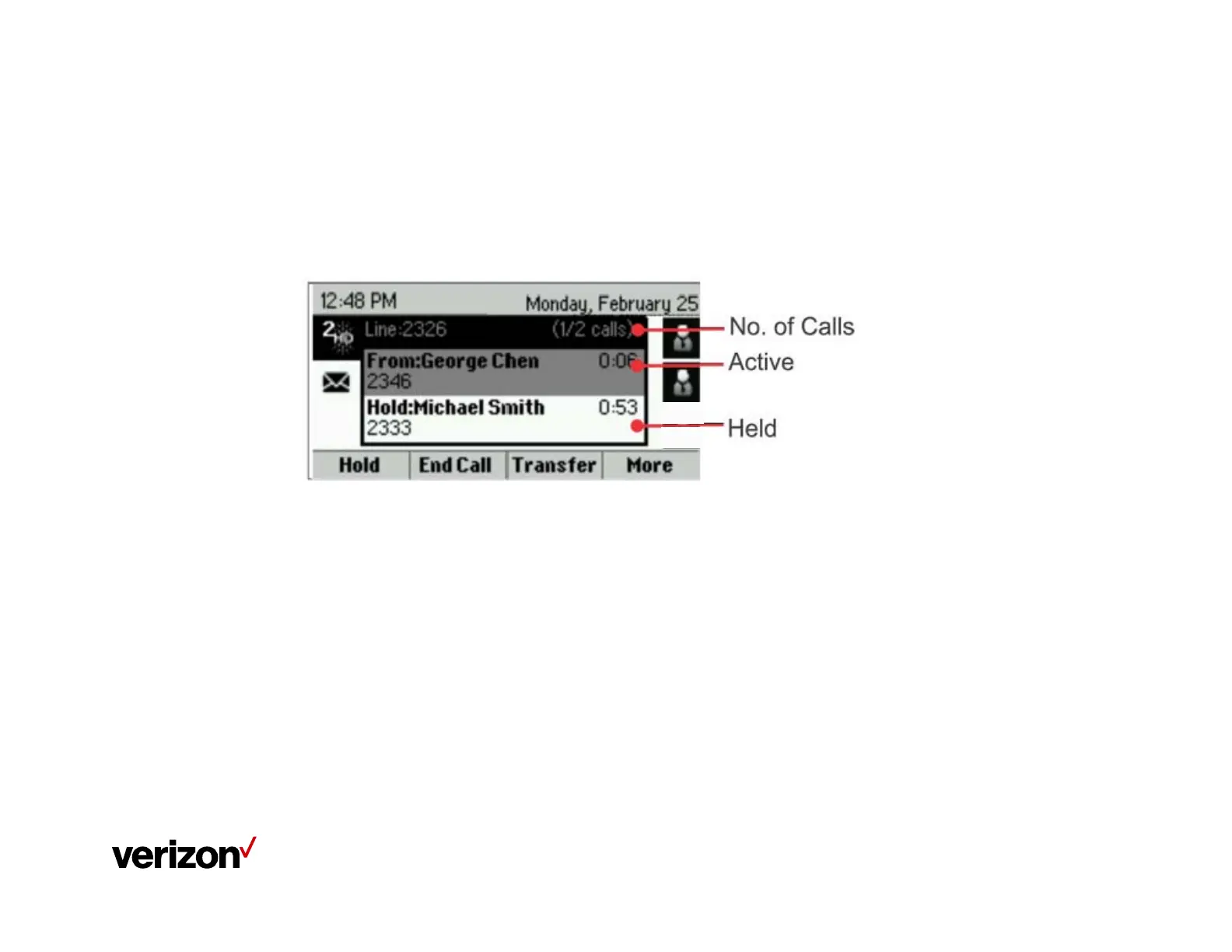
Polycom VVX 201 Phone Screen Views
The Calls view
The Calls view displays active calls, held calls and number of calls
You can access Calls view if your phone has multiple calls in progress, or you
have one held call
Use the up and down arrow keys to see all your calls
If your phone has multiple lines, calls display under the associated line.
















 To Next Page