About the Touchscreen
•Tap to select and highlight screen items. To scroll, touch
•the screen, and swipe your nger up, down, right, or le.
•To go back to a previous screen, tap Back.
Phone Views
Your phone has four main Views: Home, Calls, Active
Call, and Lines View (the default).
To change Views:
•For Home View, press .
•From Home View, press to display either Lines, Calls, or
Acve Call View.
•To switch between Lines View and either Calls or Acve Call
View, swipe the screen.
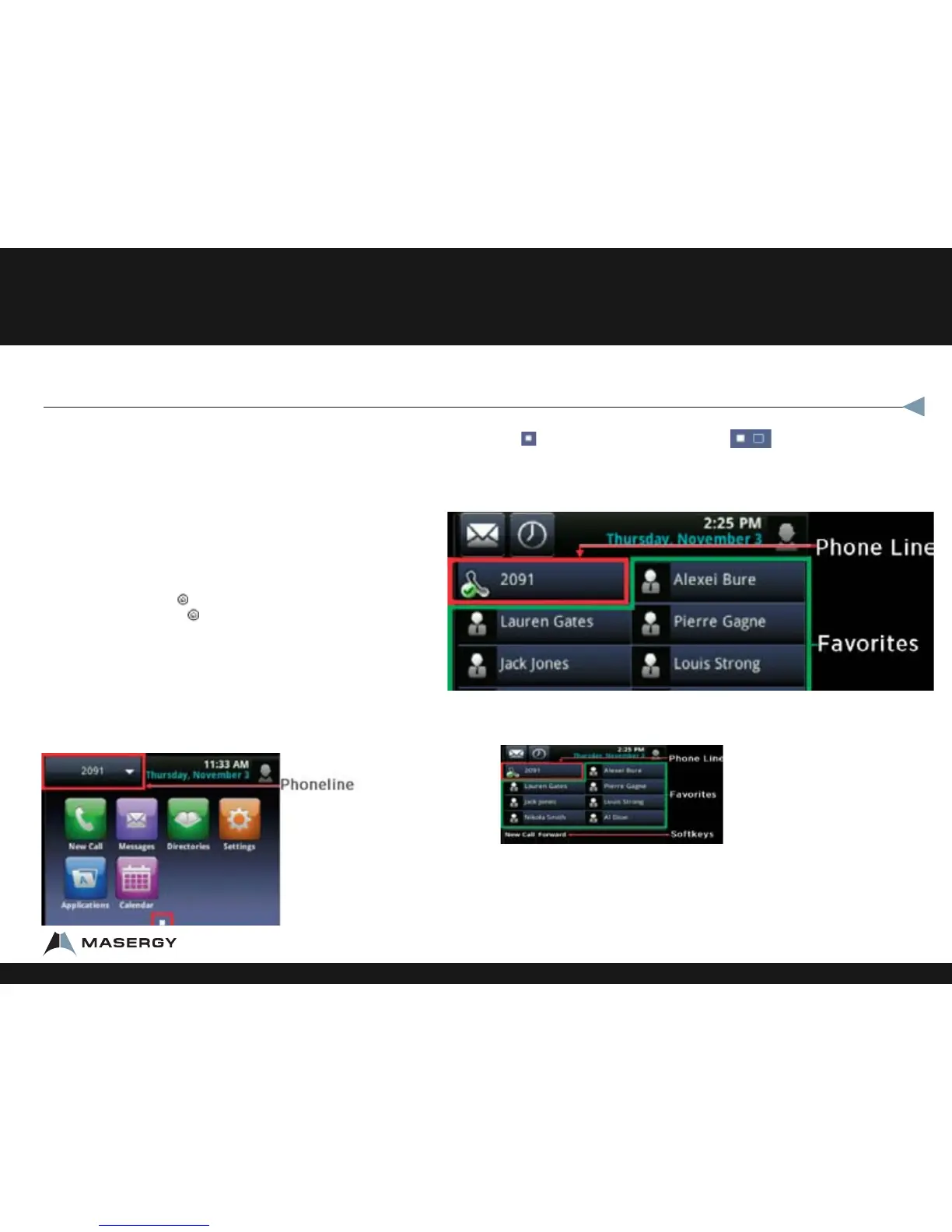
Home View
Home View displays icons you can tap to access phone
functions.
Touch and hold to display fewer icons. Touch and hold or swipe the screen to
display more icons.
From Home View, tap the phone Line to display your phone Lines and Favorites—contacts
you can dial by tapping their name. To go back, tap Close.
Lines View
Lines View displays phone Lines, Favorites, and soft keys.
If your phone is idle, you can:
•Tap the phone Line to access the Dialer.
• Swipe to switch between Lines View and the Browser (if applicable).
Polycom® VVX® 500 Performance Business Media Phone
Features
1-800-942-4700 masergy.com

















 To Next Page