Wi-Fi
®
(PL MAX MODELS ONLY)
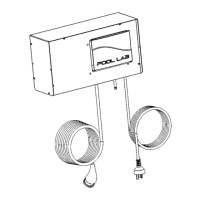
PL Max model chlorinators are equipped with a Wi-Fi module that will allow remote control
and monitoring of your system via the mobile apps available for iOS and Android.
A small Wi-Fi antenna is supplied in the box along with your Pool Lab MAX model Salt
Chlorinator. After the chlorinator is installed, attach the antenna to the connector on the
bottom of your chlorinator. Tighten nut with fingers only – do not over tighten.
When you first power up a new chlorinator the Wi-Fi module will be in setup mode (aka.
Hotspot mode) and will appear as a wireless access point with SSID “poolLab”. It will
remain in this mode for up to 2 hours before timing out. If you do not complete setup
within two hours, you will need to reset the Wi-Fi module (next page) or cycle power to the
chlorinator to restart setup mode.
Getting Started
Download the app on your mobile device from the app store. Search for “Pool Lab”, by
Poolpower Australia Pty Ltd.
Open the app and sign up for a free account. This will require an account name, email
address and password.
Sign into your account, and the setup wizard will begin automatically.
The first step is to let the app know which Wi-Fi network you wish the Pool Lab Chlorinator
to connect to – for example, your home Wi-Fi. You will also need to enter the password for
this connection as this information will need to be sent to the Pool Lab Chlorinator after the
next step.
The second step is to search for your Pool Lab chlorinators Wi-Fi module, which should be
in setup mode (aka. Hotspot mode). It should appear as a network with the name/SSID
“poolLab”. Depending on your operating system and security settings it may ask for a
password, which is “123456789”.
Once you have completed this step, the connection details for your selected Wi-Fi network
will be sent to the Pool Lab Chlorinator via a secure peer-to-peer connection. The Pool
Lab chlorinator will then attempt to connect to the network you selected, and if successful
the Setup Wizard will finish automatically.
If the setup wizard fails for any reason you may need to restart it and try again.
If the “poolLab” network does not appear, you may need to cycle power to your chlorinator,
or reset your Wi-Fi module (see below). Also, ensure the Wi-Fi antenna supplied with the
unit has been attached on the bottom of your chlorinator.
13


 To Next Page