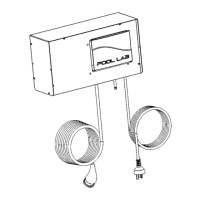
THIRD PARTY EQUIPMENT CONTROLLERS
When a Pool Lab salt chlorinator is installed on a system with a third party equipment
controller that is in control of the filtration pump, please setup as described below.
For stand-alone chlorinators without a Pool Lab ASP module:
– Filtration pump connected to the Pool Lab chlorinator pump socket.
– Third party controller switches power to the Pool Lab chlorinator.
– Pool Lab chlorinator left in manual ON mode.
For chlorinators connected to a Pool Lab ASP module:
– Filtration pump connected to the third party controller.
– Pool Lab chlorinator connected to continuous power.
– Pool Lab chlorinator left in manual ON mode.
– Ensure filtration timer #1 is set to the approximate same run time as the third party
controller. This is used to calculate water test frequency.
– Ensure “Pump Protection Monitor” is disabled (ie. set to ZERO).
Note: The power supply and controller has a built in digital time clock which will control
both the chlorinator and pump ON and OFF times. For the built in safety features and
timers to operate correctly the pump should be connected directly to the pump outlet
socket on the bottom of the unit.
You may use an external time clock to control the chlorinator and pump, however some of
the delay features involving the pump will not operate.
WARNING - ISOLATE AND DISCONNECT SUPPLY POWER BEFORE SERVICING
CHLORINATOR OR PUMP.
CAUTION - FOR CONTINUED PROTECTION AGAINST POSSIBLE ELECTRIC SHOCK
USE ONLY IDENTICAL REPLACEMENT PARTS WHEN SERVICING.
28


 To Next Page