11
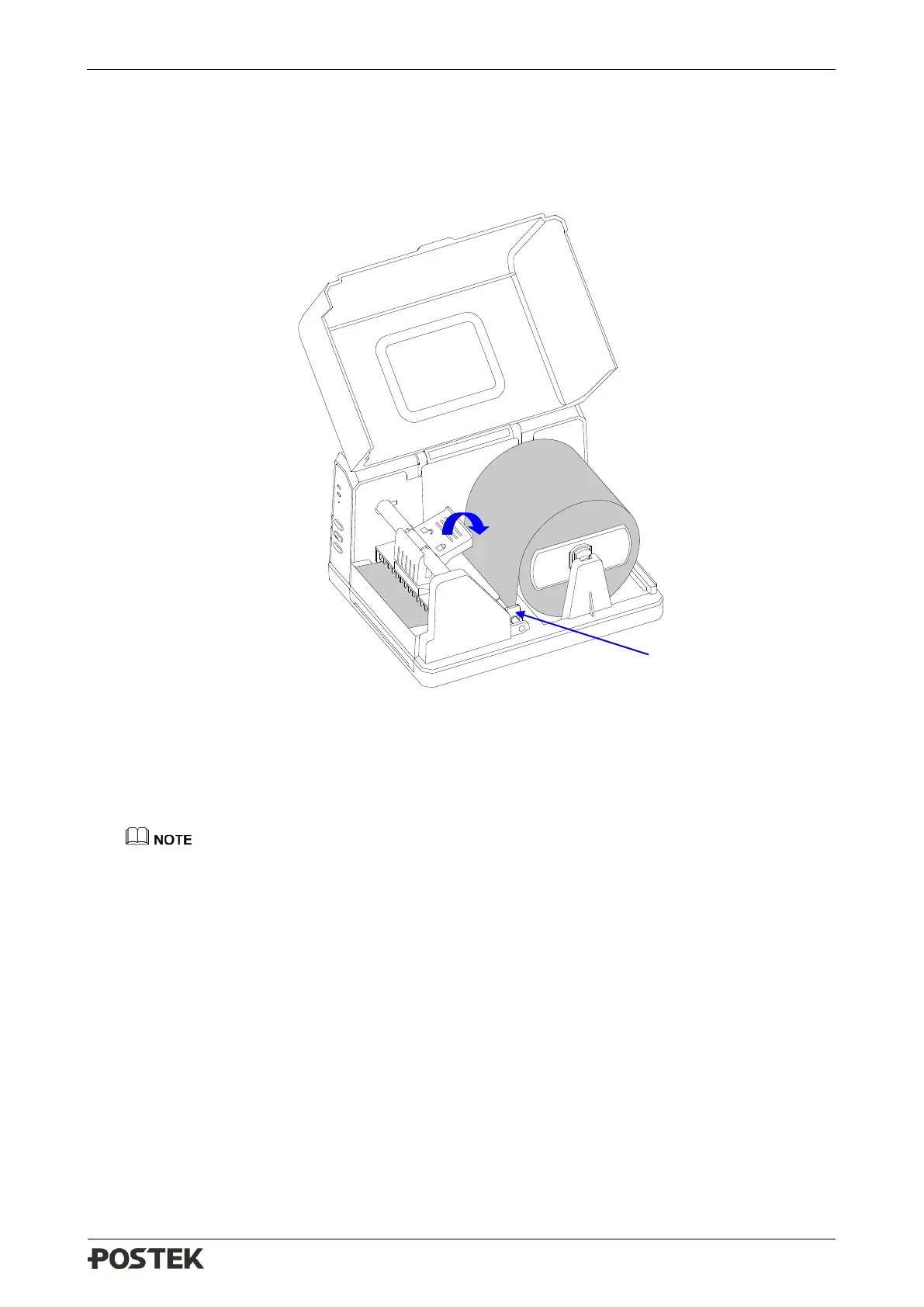
5. Thread the media under the Media Guide Rod, over and pass the Platen Roller to the front of
the printer.
6. Slide the Media Guide to the edge of the media, making sure that the media remains flat and is
placed in the middle of the Tear-off Bar. This can be checked with the ruler on the Tear-off Bar.
See Figure 2-7.
Figure 2-7 Media Loaded
7. Press down the Handle of the Printhead to lock the Printhead. See Figure 2-7.
8. Turn on the printer, press and hold the [FEED/Calibration] button (hold for around 4 seconds),
then the printer will automatically feed labels and the media calibration is done.
Calibration must be made when media is loaded to the printer for the first time, or when there
is a change to a different type of media.



 To Next Page