Page 5/8 (*OBM-U090 doesn’t support this funcon.)
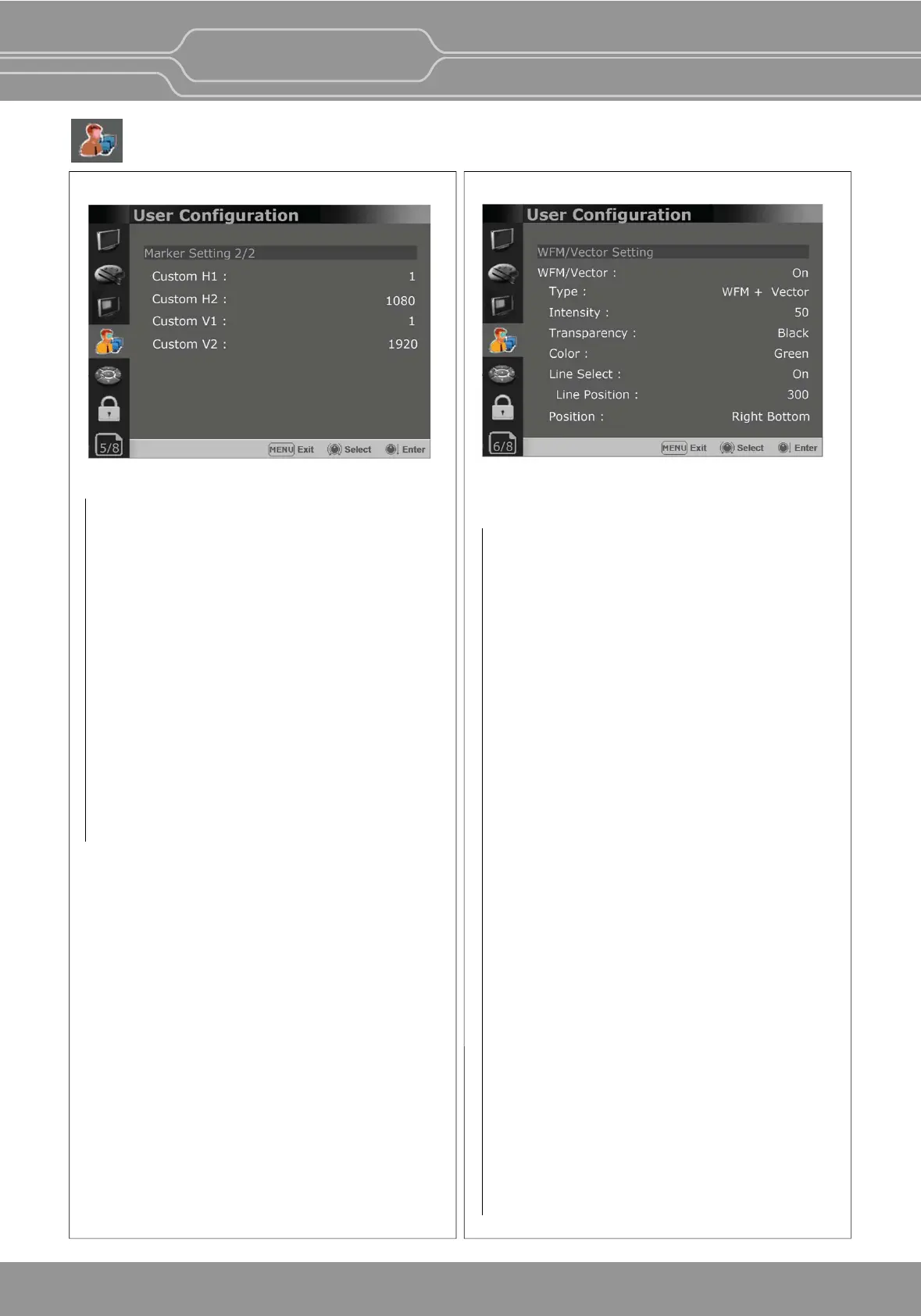
Marker Seng 2/2
This funcon is acvated when the “Aspect Marker”
is set [Custom].
Menu > User Configuraon 4/8 > Marker >
Aspect Marker > Custom
Custom H1
- Sets the posion of the first horizontal marker
line.
Custom H2
- Sets the posion of the second horizontal marker
line.
Custom V1
- Sets the posion of the first vercal marker line.
Custom V2
- Sets the posion of the second vercal marker
line.
User Conguration Menu
OBM-U/X Series
4K LCD Professional Monitor
with 12G-SDI, Quad Link 4K
25
Page 6/8
WFM/Vector Seng
WFM/Vector
- Sets to acvate and deacvate Waveform
monitor and Vectorscope.
You can select from among [WFM],
[VectorScope], [WFM+Vector], [WFM Wide].
*This funcon doesn’t work when RGB format
signal is input.
*[WFM Wide] is supported for
OBM-090 and
OBM-U170, OBM-U171 model only.
Intensity
Adjusts the brightness of Waveform and
Vectorscope display.
You can select from 1 to 64.
Transparency
Adjusts the transparency level of Waveform and
Vectorscope.
[Black]:
The background is black. Displayed image
is hidden behind the background.
[Half]: The background is transparent. Displayed
image can be seen indisnctly behind the
Waveform and Vectorscope display.
Color
Selects the color of Waveform monitor.
Available colors are [Green] and [White].
Line Select
Selects [On] to display the Waveform of the line
assigned in [Line Posion] below.
*Line Posion
Selects the specific horizontal line for
Waveform and Vectorscope.
Increases the value to move the line upwards
and decreases the value to move the line
downwards.


 To Next Page